Retention desks
Three desks for the offices that keep students enrolled: Student Success works early alerts and reaches out, Health and Wellness runs counseling and clinic lanes with a waitlist, screeners and a clinical read for the clinician, and Student Financial Services decides holds, appeals and emergency funds before registration; the desks share one record, and outreach finds students like the one on the screen.
One working session with the people in the seat: which decisions, which systems, what a good week looks like.
The app you see above, running on your own exports instead of the simulated world. Every screen, every decision, your numbers.
Wired to your systems with your permissions, agents proposing, people approving, the ledger recording who did what.
Overview
A student falling behind shows up in four offices at once: a professor's alert, a counseling waitlist, a hold on the account, an adviser who has not seen them. Each office has its own system and its own list, and registration closes before anyone puts them together.
Each desk opens on today: what is new, who is coming in, and what was handled overnight. Student Success sees alerts in the professor's words and reaches out in the college's voice. Health and Wellness sees the counseling waitlist with screener scores and level of care, and clinic visits with triage and patterns such as a flu cluster; the clinical read is for the clinician and says what it is not. Financial Services decides payment plans, special circumstances and emergency funds in one queue. Outreach finds students who look like the one on the screen and drafts a message to each.
Key features
- Student Success: alerts in the professor's words, outreach by text or email, and what happened next.
- Health and Wellness: counseling and clinic lanes, the waitlist with screeners and level of care, clinic triage and clusters, a clinical read for staff with its caveats.
- Financial Services: holds before registration, payment plans, special-circumstance appeals and emergency funds, decided one at a time.
- Outreach from a sentence or from students like one on the screen, drafted per student in the campus voice.
Decisions it produces
- Reach out to a student from an early alert
- Book a same-day visit, a group or a referral from the waitlist
- Set a payment plan or approve an appeal
- Award an emergency fund
Data sources
| LMS | alerts, grades, activity |
|---|---|
| SIS | holds, registration dates, advisers |
| Counseling and clinic | waitlist, screeners, visits |
| Billing and aid | balances, plans, appeals, funds |
Simulated data throughout. Book a call to see it on your own systems.
Related demos
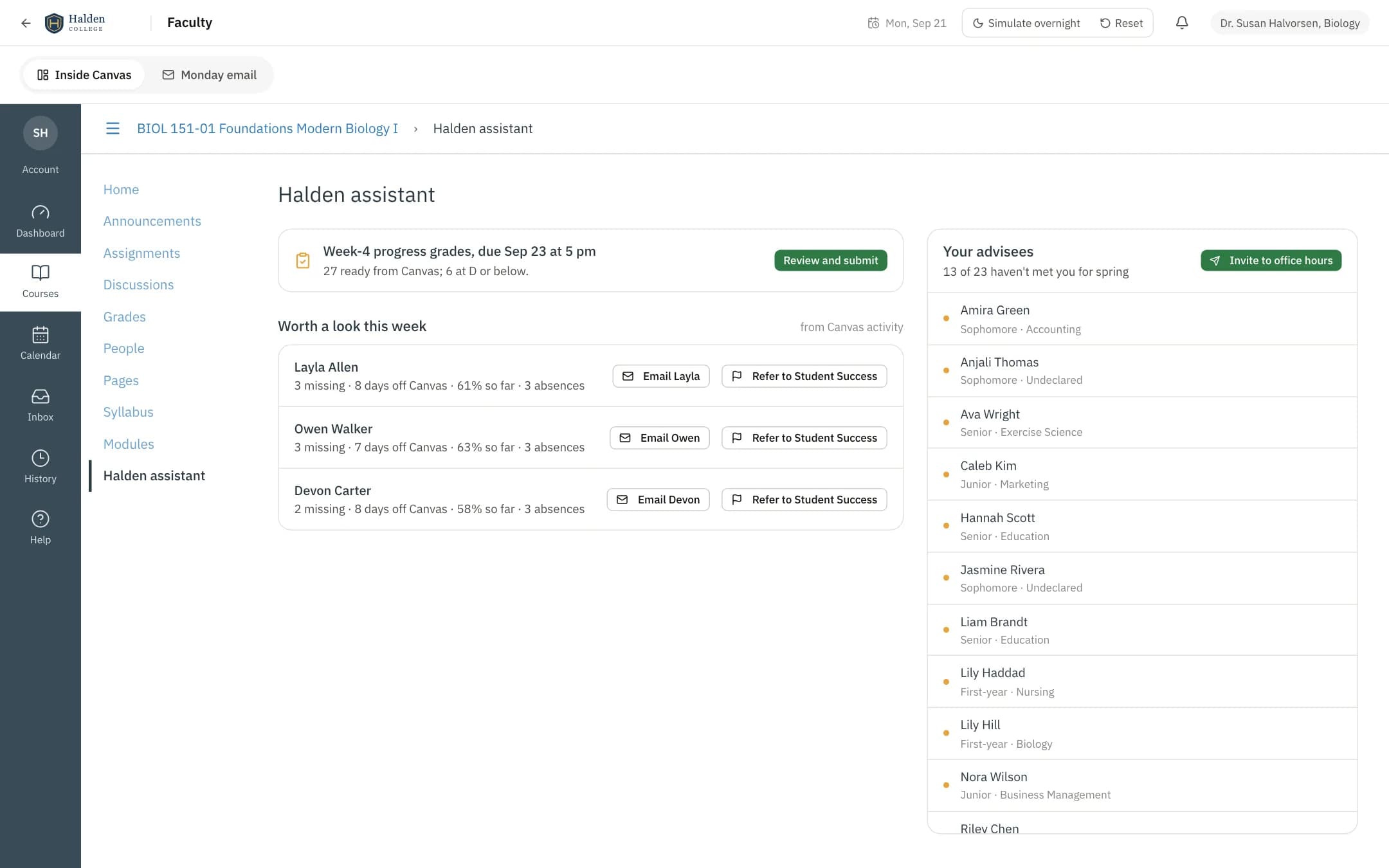
Early alerts
A faculty desk for the professor who is also an adviser: the class with who is slipping and why from the LMS, progress grades suggested from activity and submitted in one pass, an early alert that reaches Student Success with a note to the student, and advisees who still need a meeting before registration invited in a click, with a brief for each meeting.
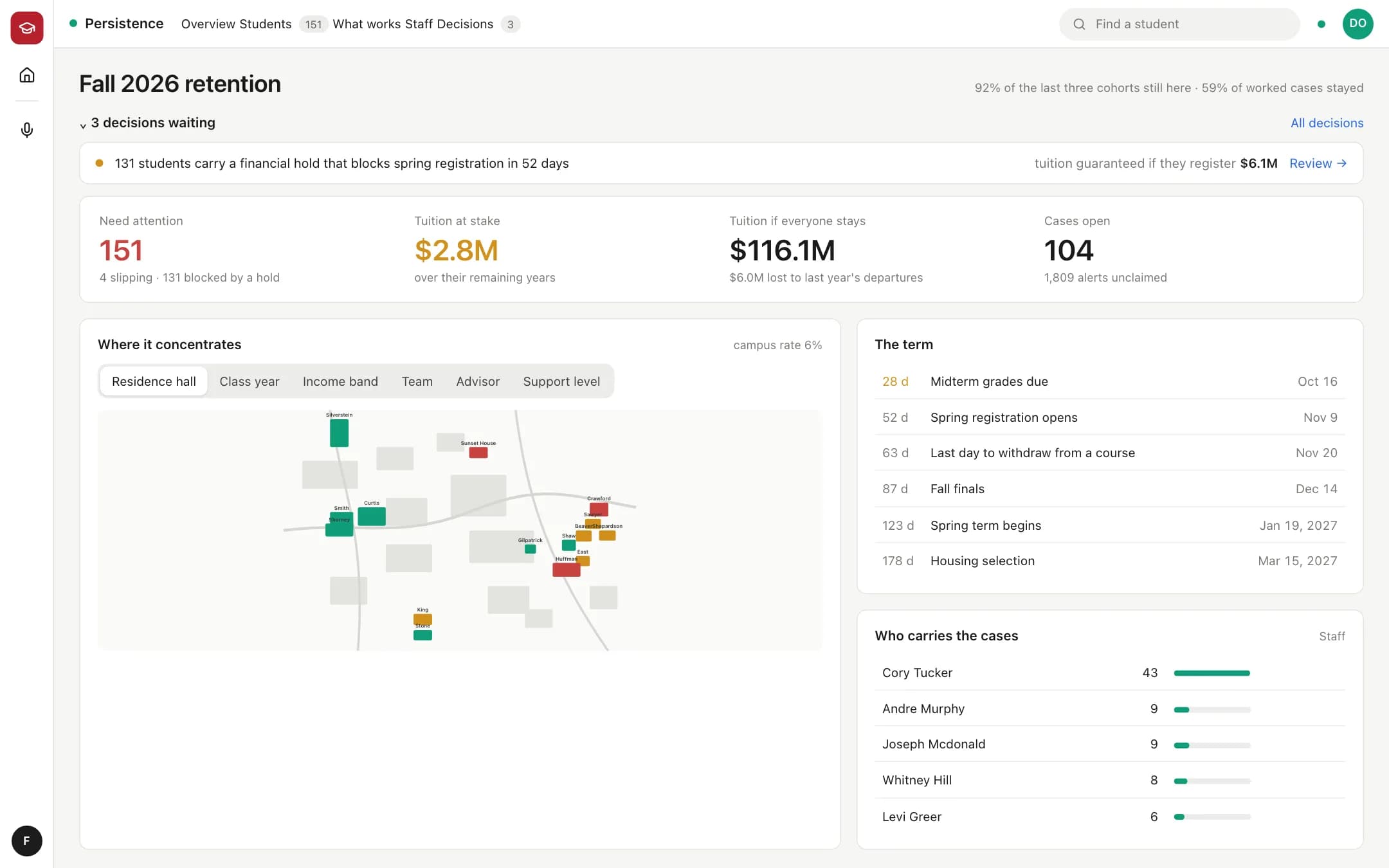
Persistence
Persistence for the Dean of Student Success: who is slipping and why from four systems, where it concentrates on campus, every student with their evidence and case, what works when a case is closed, the staff carrying the load, and the decisions (a campaign on holds, stale alerts to assign, the quiet to check on) with a review and a done state.
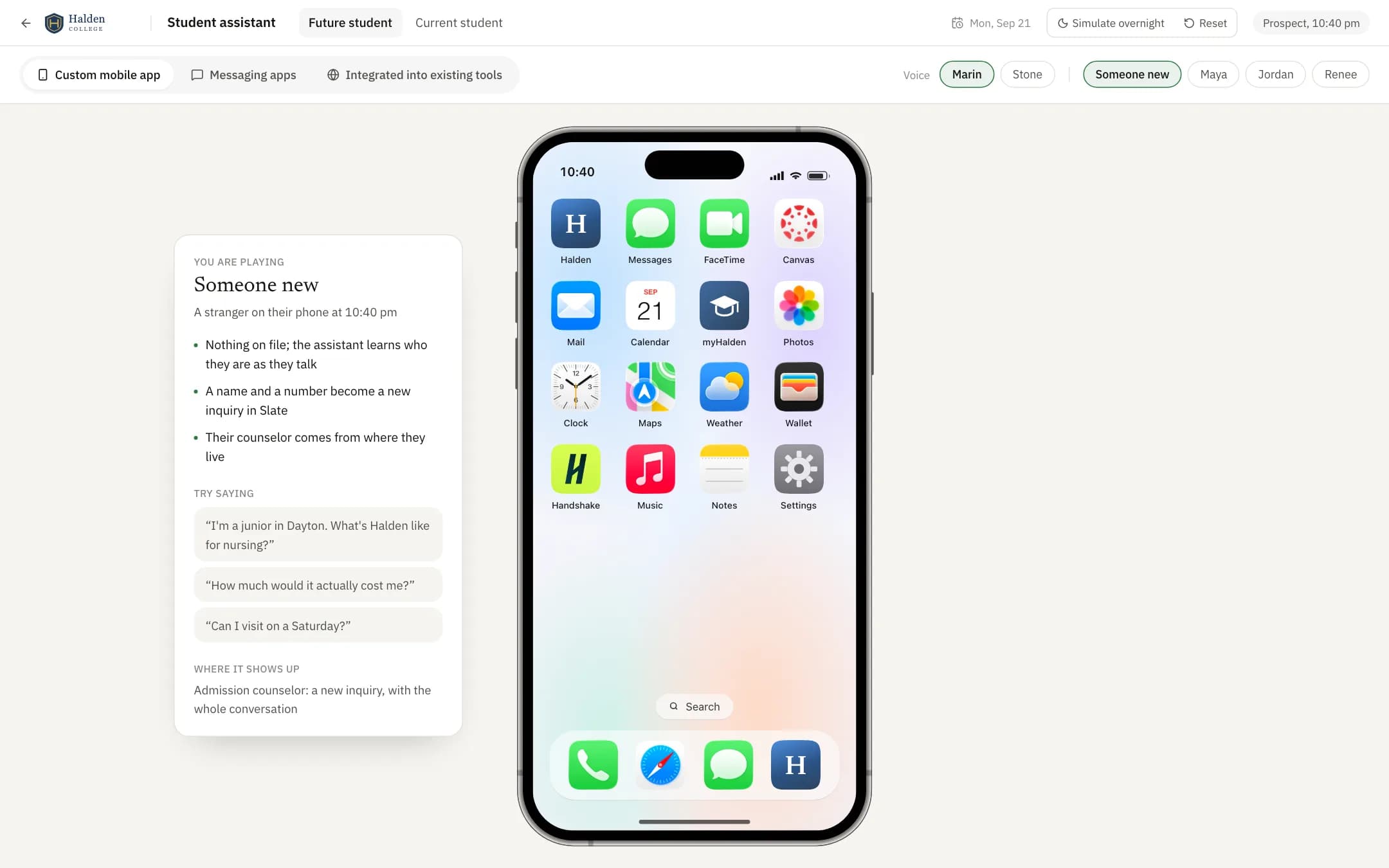
Student assistant
A student assistant on the college's own facts: a prospect texting at night gets the real cost, a merit estimate and a visit booked, and a current student with a hold gets it explained and a payment plan set up; it answers from the handbook, says when it does not know, and hands off to a person in the right office with the conversation attached.