Technical issue resolution
A technical issue resolution assistant: maintenance tickets with filters, the ticket's properties and comments, an AI-suggested fix drawn from historically successful solutions with the evidence shown, a summary of recent work on the machine, troubleshooting guides matched from the organisation's PDFs, and the resolution written back to the ticket.
One working session with the people in the seat: which decisions, which systems, what a good week looks like.
The app you see above, running on your own exports instead of the simulated world. Every screen, every decision, your numbers.
Wired to your systems with your permissions, agents proposing, people approving, the ledger recording who did what.
Overview
A technician opening a ticket starts from nothing: the last three people who fixed this machine wrote their notes in a ticketing system nobody searches, and the manual is a PDF on a shared drive.
The assistant triages the ticket and enriches it with what it can find: recent work orders on the asset, tickets with the same symptoms and how they were closed, and the sections of the troubleshooting guides that match the ticket's properties and comments. The suggested fix cites its sources; the technician applies it, adds a comment and closes the ticket, and the outcome feeds the next suggestion.
Key features
- Information at your fingertips: a summary of recent work on the machine or asset, surfaced when the ticket opens.
- Operational feedback loop: historical ticket comments become the evidence for the suggested fix.
- Ontology-driven document retrieval: troubleshooting manuals and internal documents, including PDFs, matched to the ticket.
- Preventive and predictive maintenance augmented by ticket and error trends over 30 and 60 days.
Decisions it produces
- Open a ticket and read the asset's recent work
- Apply the suggested fix or choose another
- Open the matched troubleshooting guide
- Close the ticket with the resolution
Data sources
| Ticketing | tickets, comments, resolutions |
|---|---|
| CMMS | work orders per asset |
| Documents | troubleshooting guides and manuals |
| Alarms | error codes and trends |
Simulated data throughout. Book a call to see it on your own systems.
Related demos
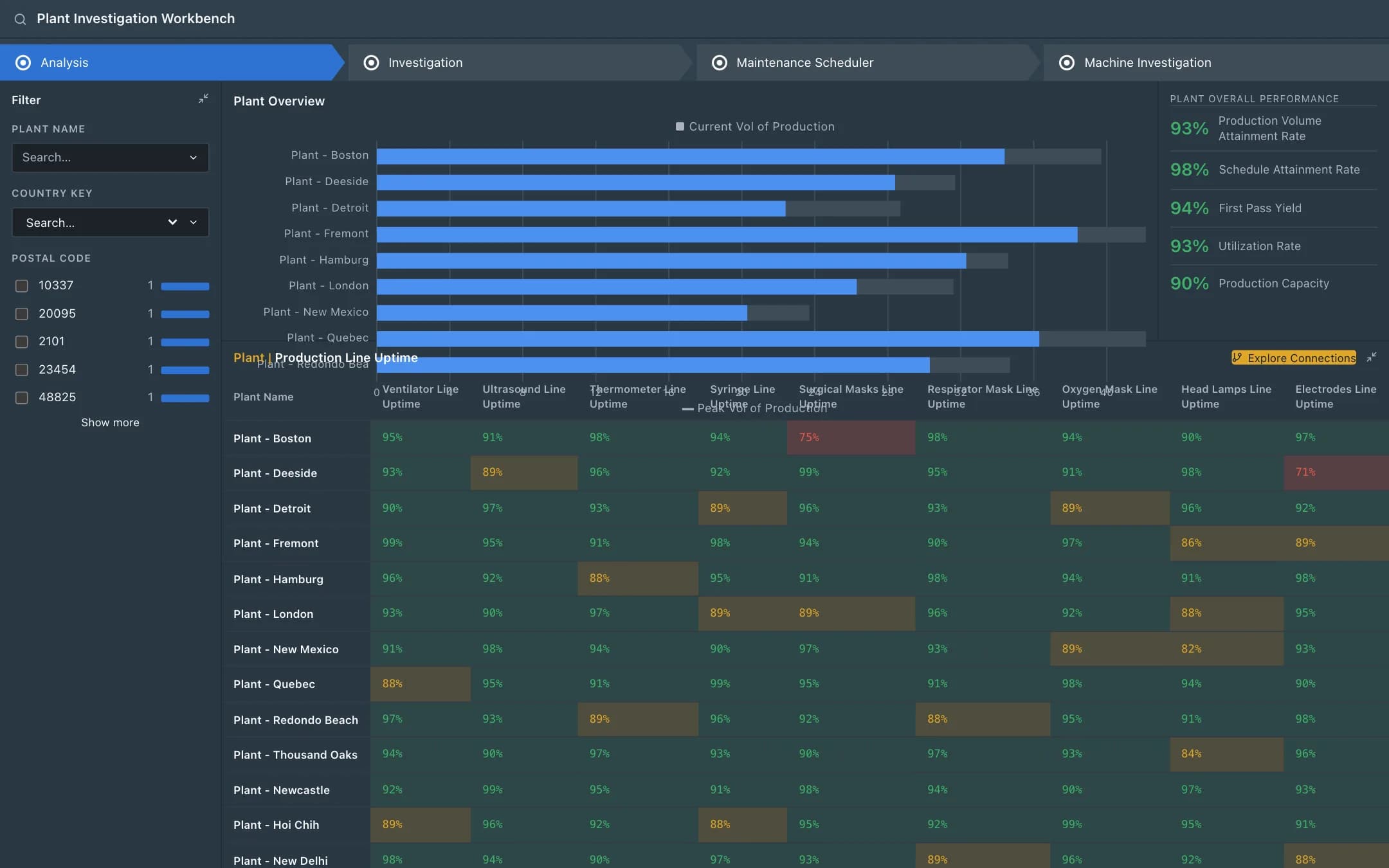
Dynamic predictive maintenance
A global control tower over plants and production lines with uptime by line, predicted failures from streamed sensor data to investigate, a maintenance scheduler that matches the technician and the materials to each job and writes the work order, and a machine investigation that shows the sensor series and shares the operator's resolution with every plant running the same asset.
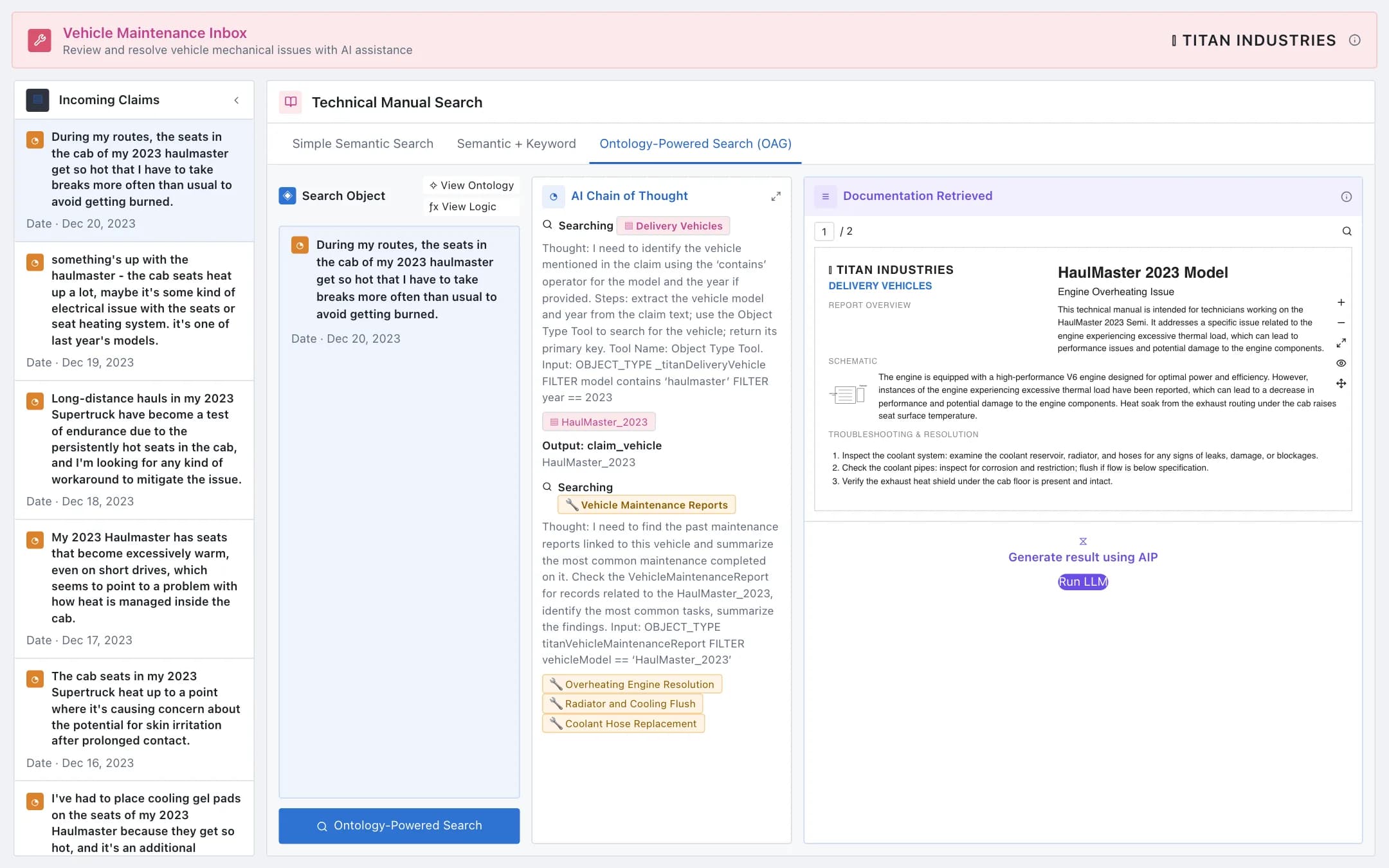
Fleet maintenance copilot
A copilot for fleet technicians: incoming vehicle claims, a technical manual search that reasons through the ontology from the vehicle to its maintenance reports and resolutions with the chain of thought shown, the manual page retrieved, and a generated resolution the technician applies and records for the whole fleet.
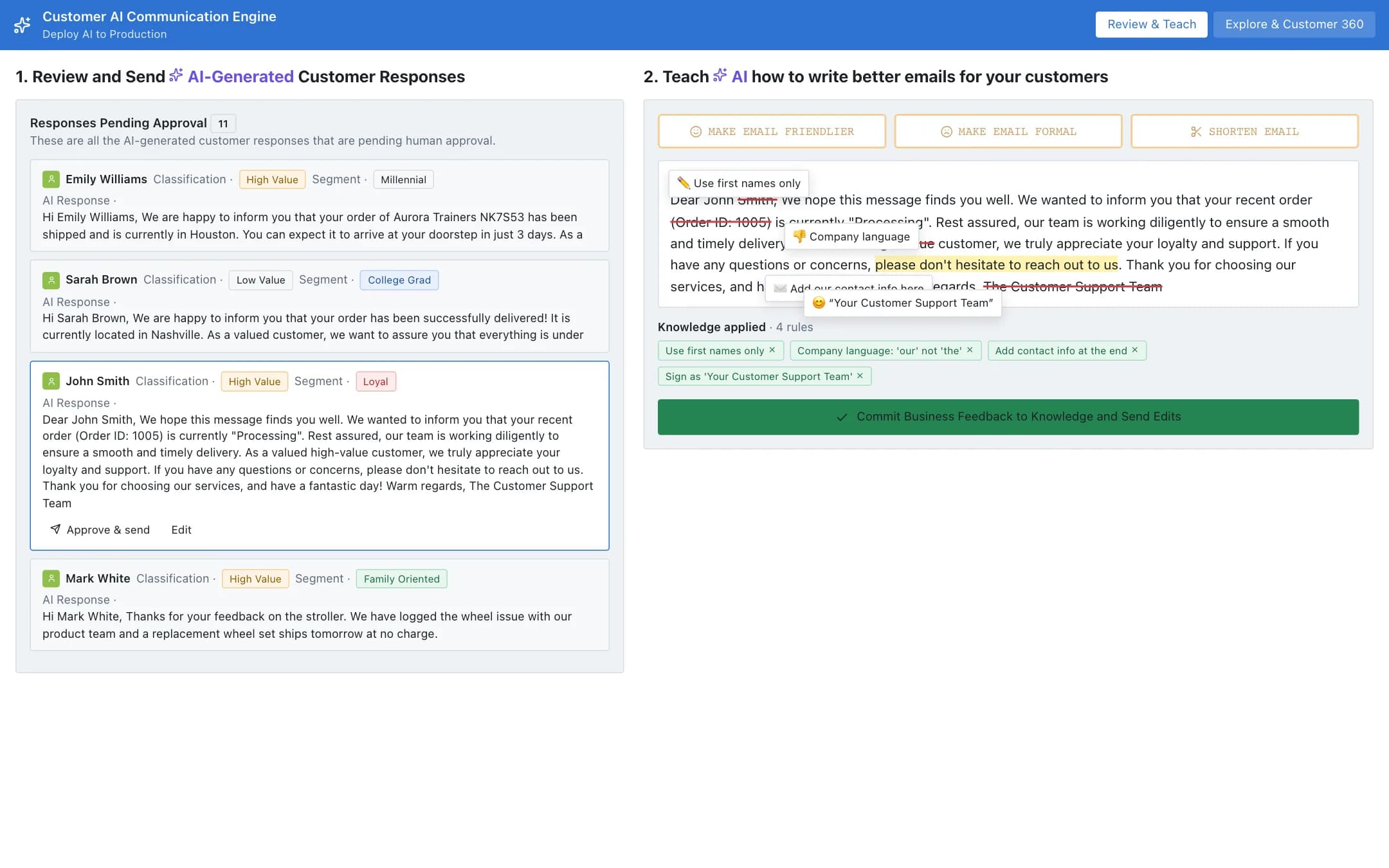
Customer service engine
A customer communication engine that drafts responses from the customer's orders, status and history, queues them for approval, lets the operator mark up a draft and commit the feedback as knowledge that shapes future drafts, and a customer 360 with the order timeline and the graph of everything the customer links to.