ERP migration suite
A migration suite in six steps: source tables extracted through connectors into harmonised objects, profiled with AI-written table descriptions, mapped to the target model with suggestions to review, de-duplicated by entity resolution with a match review, validated against the target's schema and value constraints with fixes saved as rules, and loaded with every exception corrected in platform and re-run.
One working session with the people in the seat: which decisions, which systems, what a good week looks like.
The app you see above, running on your own exports instead of the simulated world. Every screen, every decision, your numbers.
Wired to your systems with your permissions, agents proposing, people approving, the ledger recording who did what.
Overview
An ERP migration is months of engineers extracting tables, business users answering questions about them in spreadsheets, and load cycles that fail on values the target rejects. The knowledge about the source system leaves with the consultants.
The suite gives business users the whole path. Extraction syncs source tables through connectors and shows what each feeds; profiling writes the table description and finds dormant records; mapping proposes the column mappings for a subject matter expert to accept or correct, saved as a reusable profile; harmonisation resolves duplicate entities with a side-by-side review; validation lists the values the target will reject and applies the fix as a rule; loading orchestrates the requests, reports the exceptions and re-loads once they are corrected.
Key features
- Data extraction: a library of source connectors and a pipeline generator that shows downstream artifacts and syncs.
- Data profiling: automated statistics, active and dormant records, and AI-synthesised table descriptions.
- Data mapping and harmonisation: AI mapping suggestions reviewed by business users, reusable profiles, and entity resolution with match labelling.
- Data validation and loading: target schema and value checks, no-code rules, load orchestration with exceptions fixed in platform.
Decisions it produces
- Sync a source table
- Accept or reject an AI column mapping
- Confirm or reject an entity match
- Apply a validation fix as a rule and re-load
Data sources
| Source ERP | vendor, material, purchasing and plant tables |
|---|---|
| Target ERP | schema, value constraints, load API |
| Business rules | mapping profiles and validation rules |
| Load logs | requests, successes, exception messages |
Simulated data throughout. Book a call to see it on your own systems.
Related demos
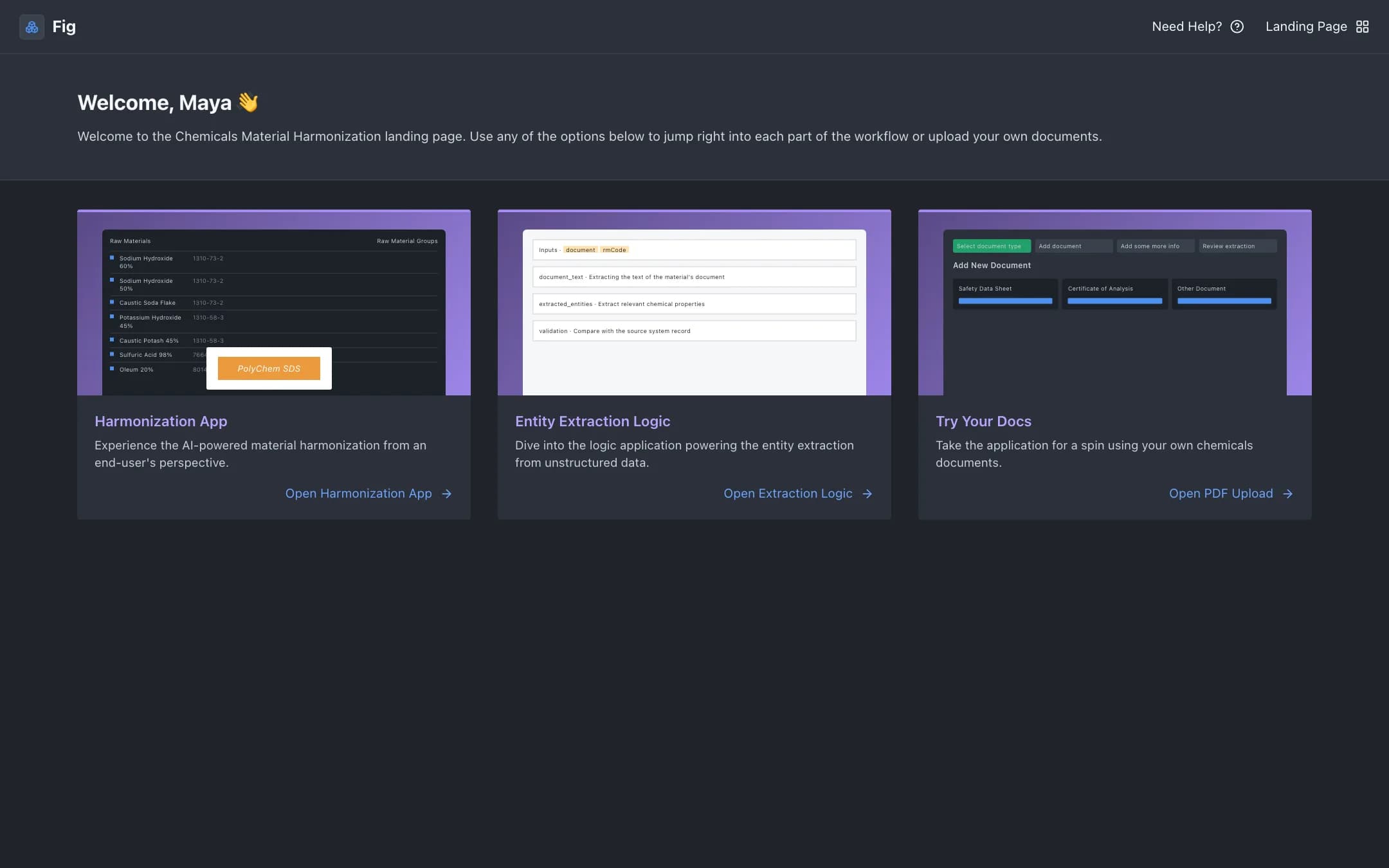
Material harmonization
Raw materials from several ERPs enriched with properties extracted from safety data sheets and certificates of analysis, grouped into harmonized materials with AI suggestions, so a bill of materials can name an alternative supplier.
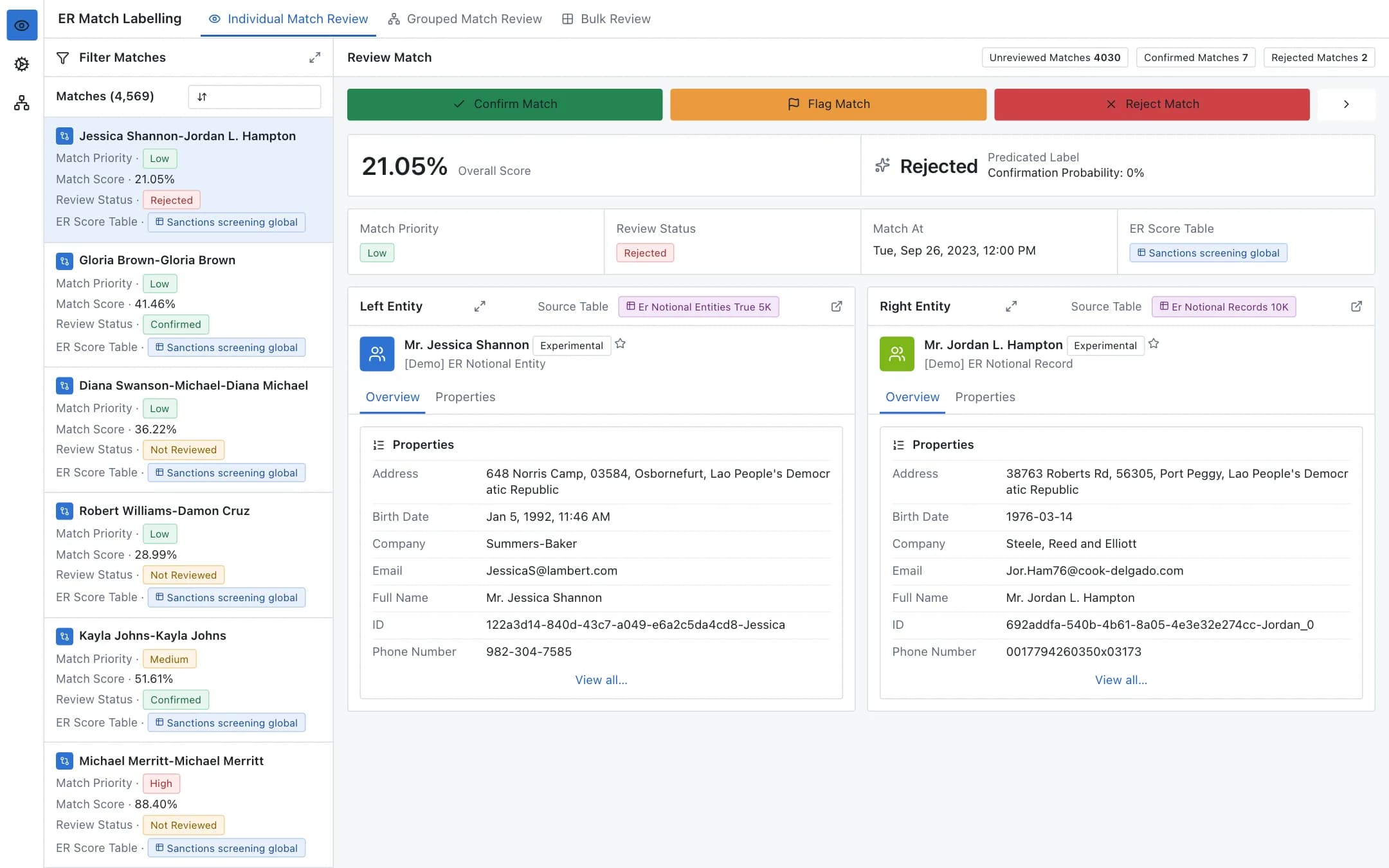
Entity resolution
A configurable pipeline that cleans, pairs and scores records to find the same person, company or product across datasets, with a labelling app where stewards confirm, flag or reject each match and a config manager that defines every step.
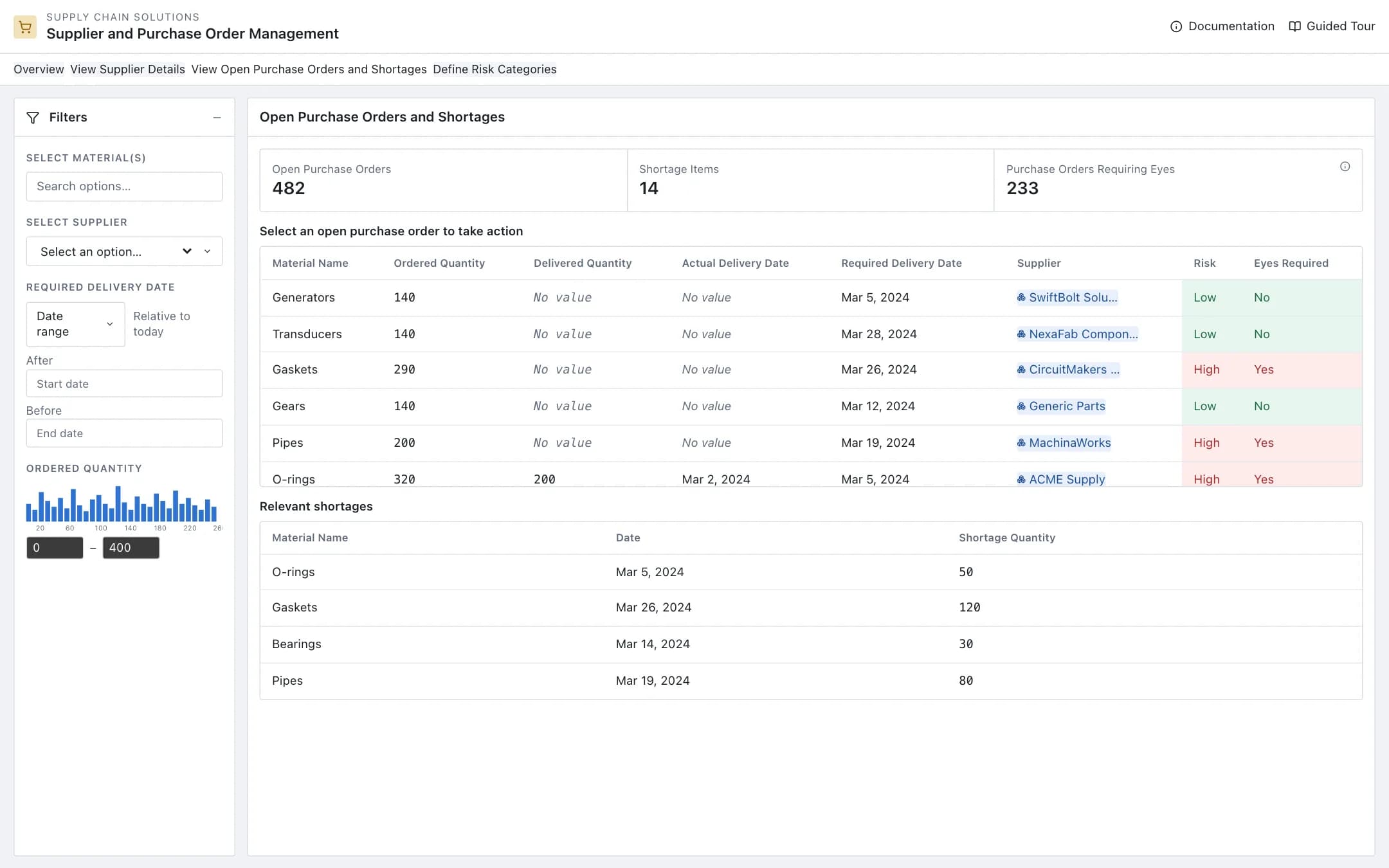
Supplier management
A supplier 360 with the open purchase orders and shortages that need attention, per-supplier performance with on-time history and risk, and a risk categories page where the rules for supplier risk, order risk and human review are written in plain language and applied across the book.