Construction command center
Every active job on one map with schedule, budget and work-order alerts, and one click into a project: its design model, schedule, budget and procurement center. Each alert carries its cause and a proposed move.
One working session with the people in the seat: which decisions, which systems, what a good week looks like.
The app you see above, running on your own exports instead of the simulated world. Every screen, every decision, your numbers.
Wired to your systems with your permissions, agents proposing, people approving, the ledger recording who did what.
Overview
A general contractor runs a dozen jobs across five systems: the schedule in Primavera P6, work orders in IBM Maximo, RFIs and daily logs in Procore, the model in Autodesk, cost in the ERP. Nobody sees them together, so a slip surfaces in the monthly cost report and the owner hears it from the architect.
The command center resolves those feeds and the contract PDFs into one construction ontology, puts every project on a map with alerts on the critical path, the budget and work-order dependencies, and opens each project to its model, schedule, budget and procurement center. Every alert carries its cause and a proposed move; a person approves, and the approval writes back to the system that owns the record.
Key features
- Digital twin: Primavera P6, IBM Maximo, Procore, Autodesk, the ERP and contract PDFs resolved into one ontology per site.
- Control tower: every project on a map with configurable alerts on schedule, budget and work-order dependencies.
- Design review: the BIM model in the browser, with an assistant that answers from model elements and drafts RFIs from clashes.
- Integrated scheduling: the lookahead against the baseline, recovery options priced before you pick one.
- Budget oversight: budget against actual by division, three-way matching, agreement terms checked on every invoice.
- Material sourcing: suppliers per package scored on price, lead time, agreement terms and risk.
Decisions it produces
- Approve a recovery move across jobs and write it to the schedule
- Pay, hold or dispute an invoice on a three-way mismatch
- Accept a suggested supplier for a package and draft the purchase order
- Ask the model a question and act on the answer, including drafting the RFI
Data sources
| Primavera P6 | schedule activities, baselines, critical path, float |
|---|---|
| Procore | RFIs, submittals, daily logs, drawings, goods receipts |
| IBM Maximo | work orders, assets and equipment, maintenance history |
| Autodesk Construction Cloud | Revit and IFC model elements, quantities, clash results |
| ERP and job cost | cost codes, budgets, commitments, purchase orders, invoices, pay applications |
| Contracts and PDFs | framework agreements with key terms, fixed prices and discounts extracted |
Simulated data throughout. Book a call to see it on your own systems.
Related demos
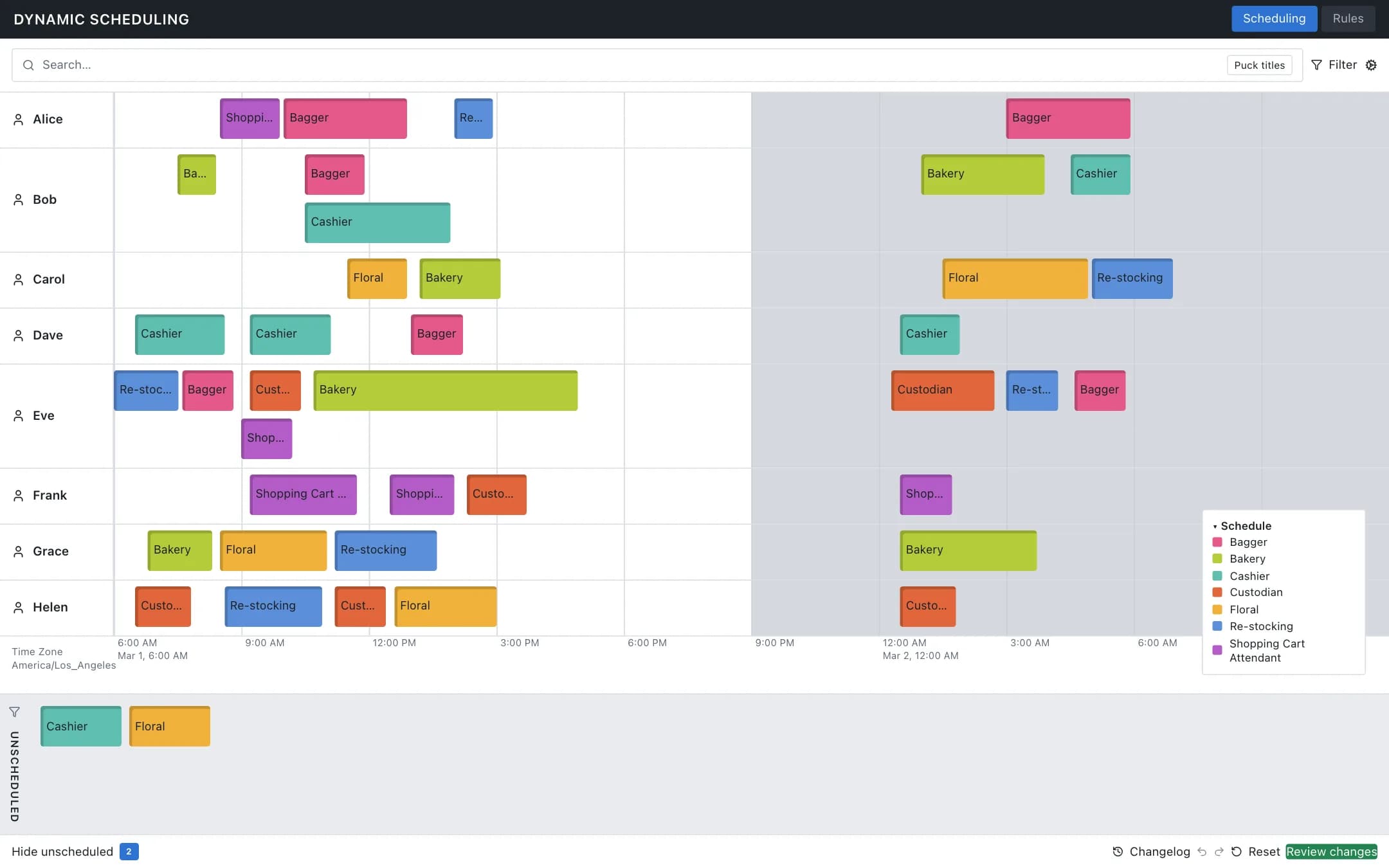
Dynamic scheduling
A shift board of employees and task pucks over the day with an unscheduled tray, undo, redo, reset and a review step, and a rules tab where deadline, duration, gap, overlap and sequence constraints are enabled, disabled, debugged or written in plain language and translated into constraints the board enforces.
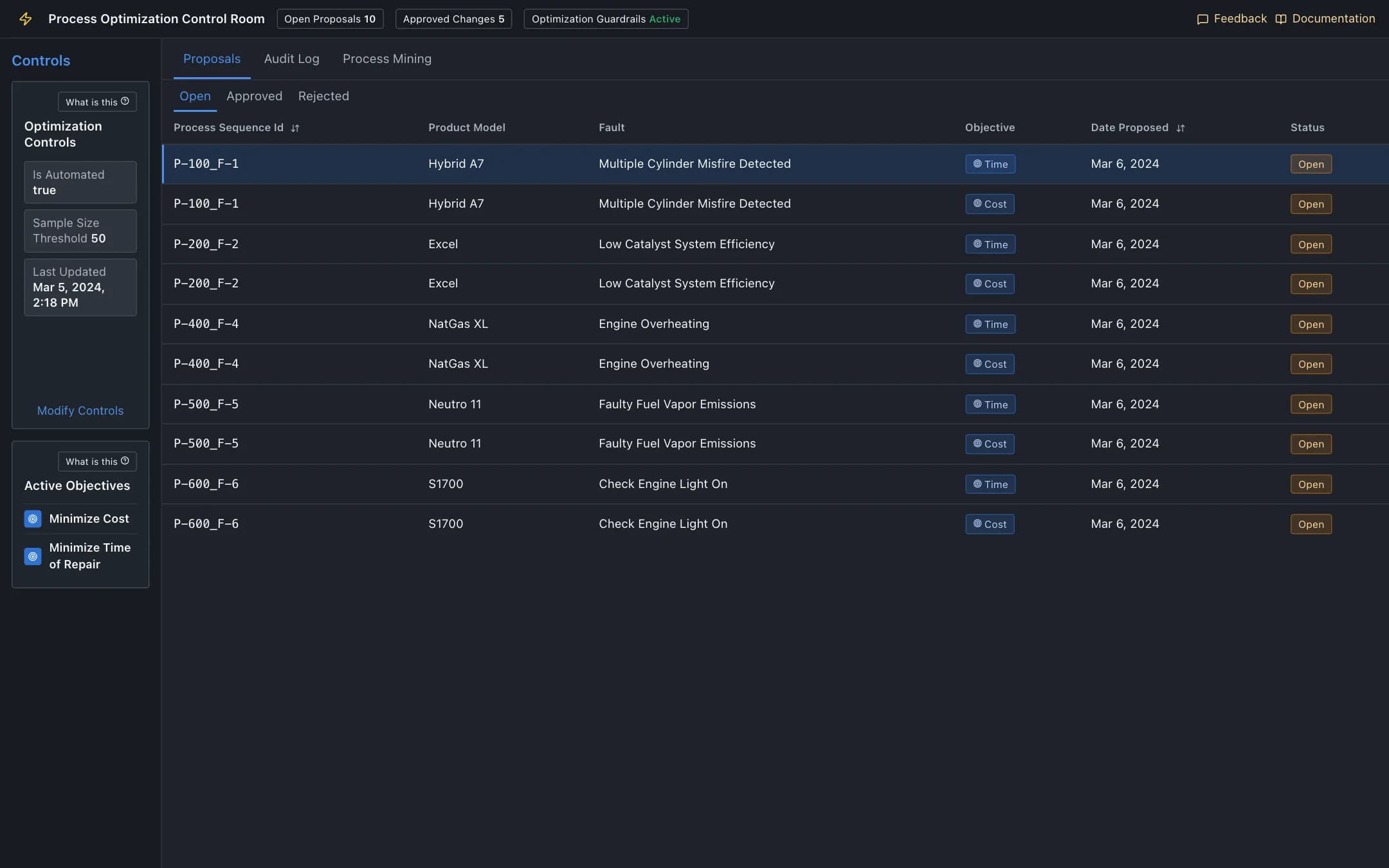
Process optimization
A control room where an optimiser proposes re-sequenced repair steps per product and fault under configurable guardrails, a manager reads the AI explanation and approves or rejects each proposal into an audit log, and process mining shows where the cases, time and bottlenecks are.
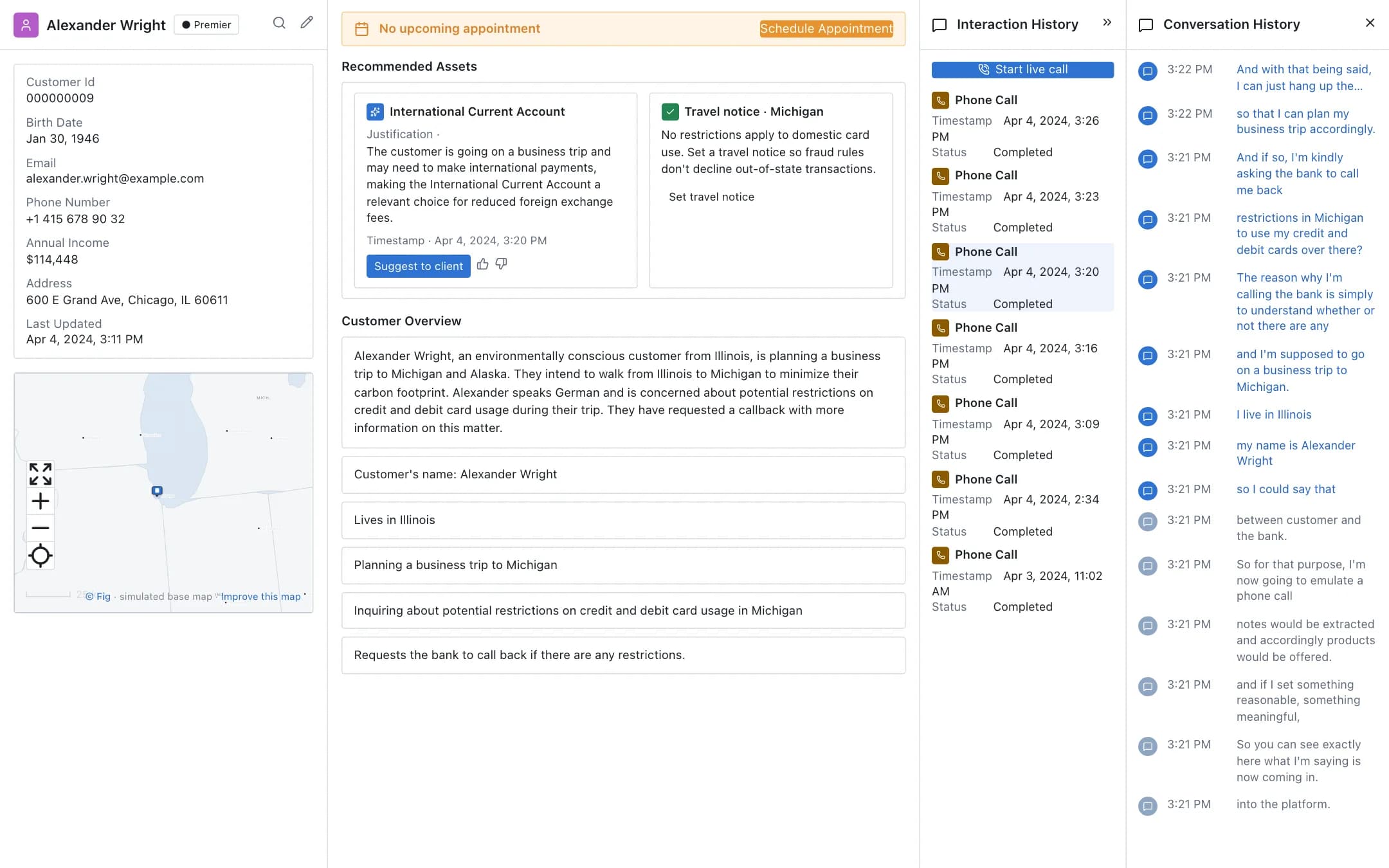
Real-time customer intelligence
The customer's record, the live call transcribed as it happens, facts and intent extracted from it, a recommended product with its justification, the interaction history and a callback booked, all on the relationship manager's screen during the call.