Grid planning and network management
A common operating picture of the grid: transmission lines and structures on a map of the service territory, weather and wildfire risk layers, investigations that select assets by risk parameters, and a structure's detail with its risk factors, maintenance record and a work order bundled with the circuit's patrol.
One working session with the people in the seat: which decisions, which systems, what a good week looks like.
The app you see above, running on your own exports instead of the simulated world. Every screen, every decision, your numbers.
Wired to your systems with your permissions, agents proposing, people approving, the ledger recording who did what.
Overview
Grid data sits in GIS, SAP, sensor systems and document stores, and an operator asking which assets need attention before a storm has to visit each. Risk models exist but do not reach the map.
The app joins the geospatial data, maintenance records, asset details and open weather data into one map. Layers add live weather and wildfire risk; an investigation selects the structures that meet the risk parameters and drills down to bundle work orders by circuit. Clicking a structure shows its risk factors, age, inspections and maintenance, and creating the work order writes to the work planning system.
Key features
- Grid 360: a geographic overview of the asset network for cross-functional teams.
- Integrate data from any source: GIS, maintenance records, asset details, sensor data and documents in the ontology.
- Real-time visibility: drill into a structure or a bundle with live weather and configurable risk parameters.
- Work planning: investigations that select assets by risk, bundled into work orders with the circuit's patrol.
Decisions it produces
- Toggle weather and wildfire risk layers
- Start an investigation from risk parameters
- Bundle selected structures into work orders
- Create a work order for a structure
Data sources
| GIS | transmission lines, structures, circuits |
|---|---|
| ERP maintenance | inspections, repairs, asset age |
| Weather data | wind, temperature and wildfire risk |
| Work planning | work orders and patrol schedules |
Simulated data throughout. Book a call to see it on your own systems.
Related demos
Public safety power shutoff
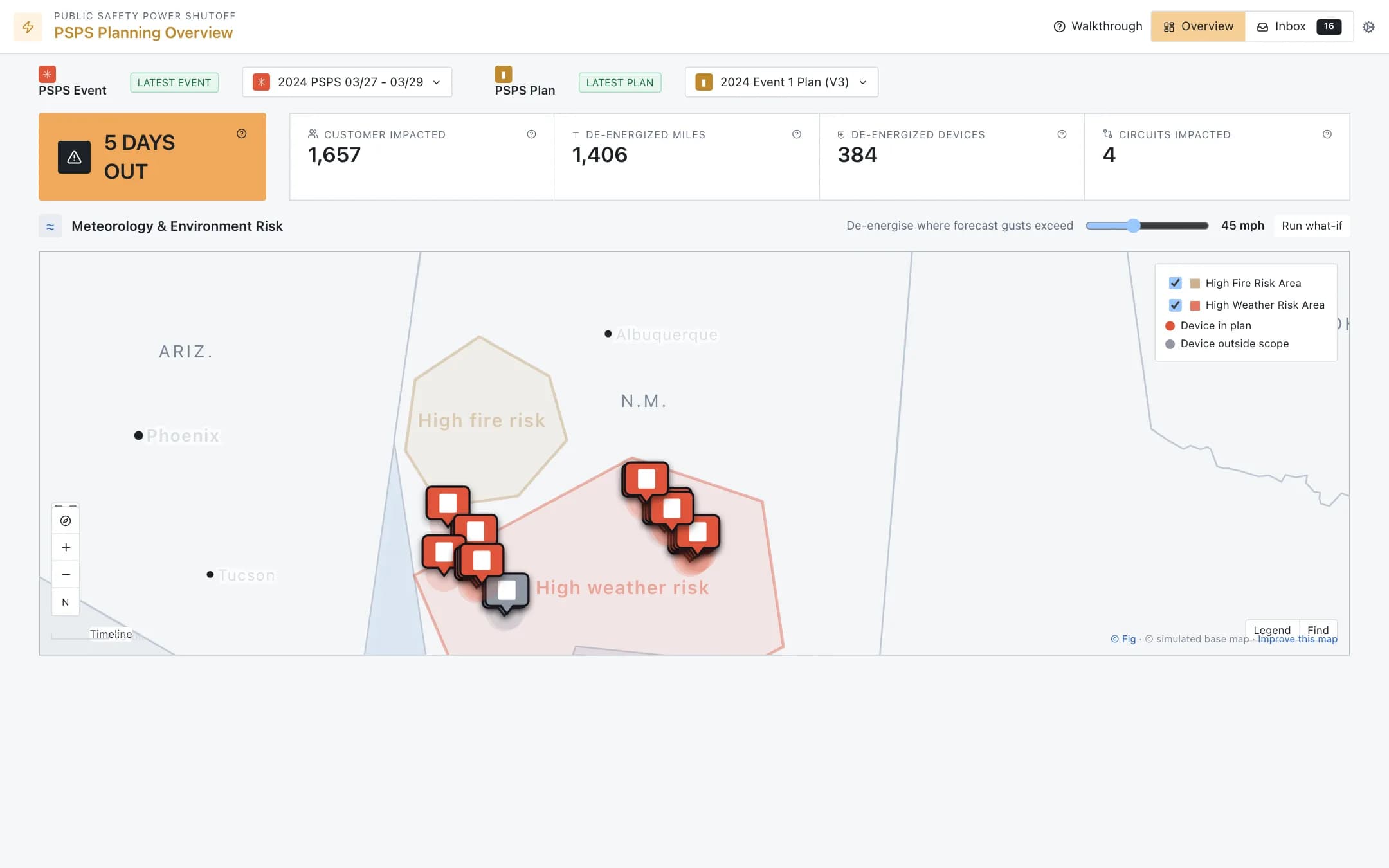
Public safety power shutoff planning: the event days out with customers, miles, devices and circuits affected, fire and weather risk areas on the map with the devices in scope, a gust threshold that re-scopes the plan as a what-if, and an inbox of added, removed and modified de-energisation intervals to approve into the next plan version.
Outage cause classification
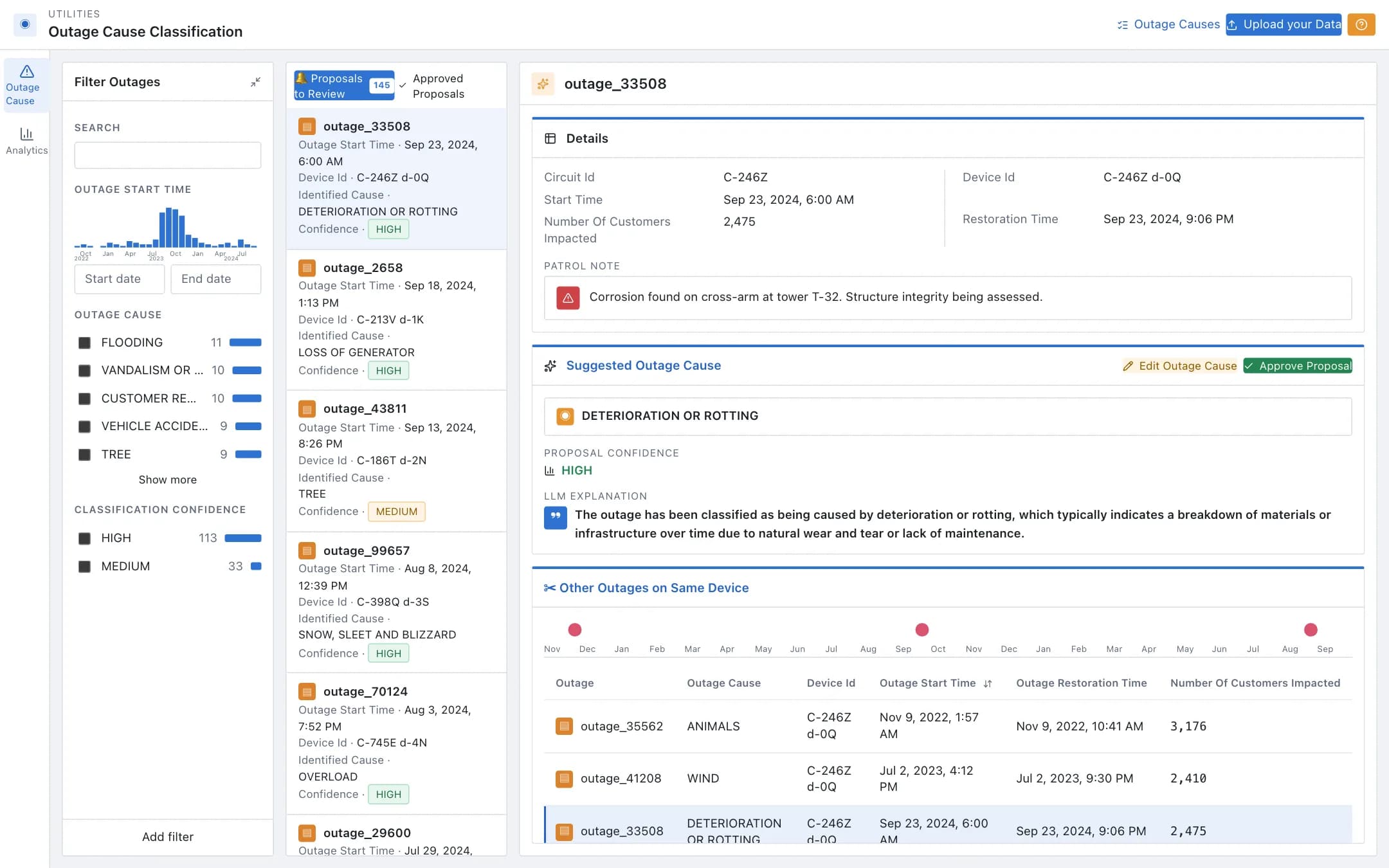
Outage causes proposed from patrol notes and the outage management system, reviewed one by one with the confidence, the explanation and the device's outage history, approved or corrected, and analytics over causes, circuits and devices that surface the recurring ones for targeted maintenance.
Pipeline outage scheduling
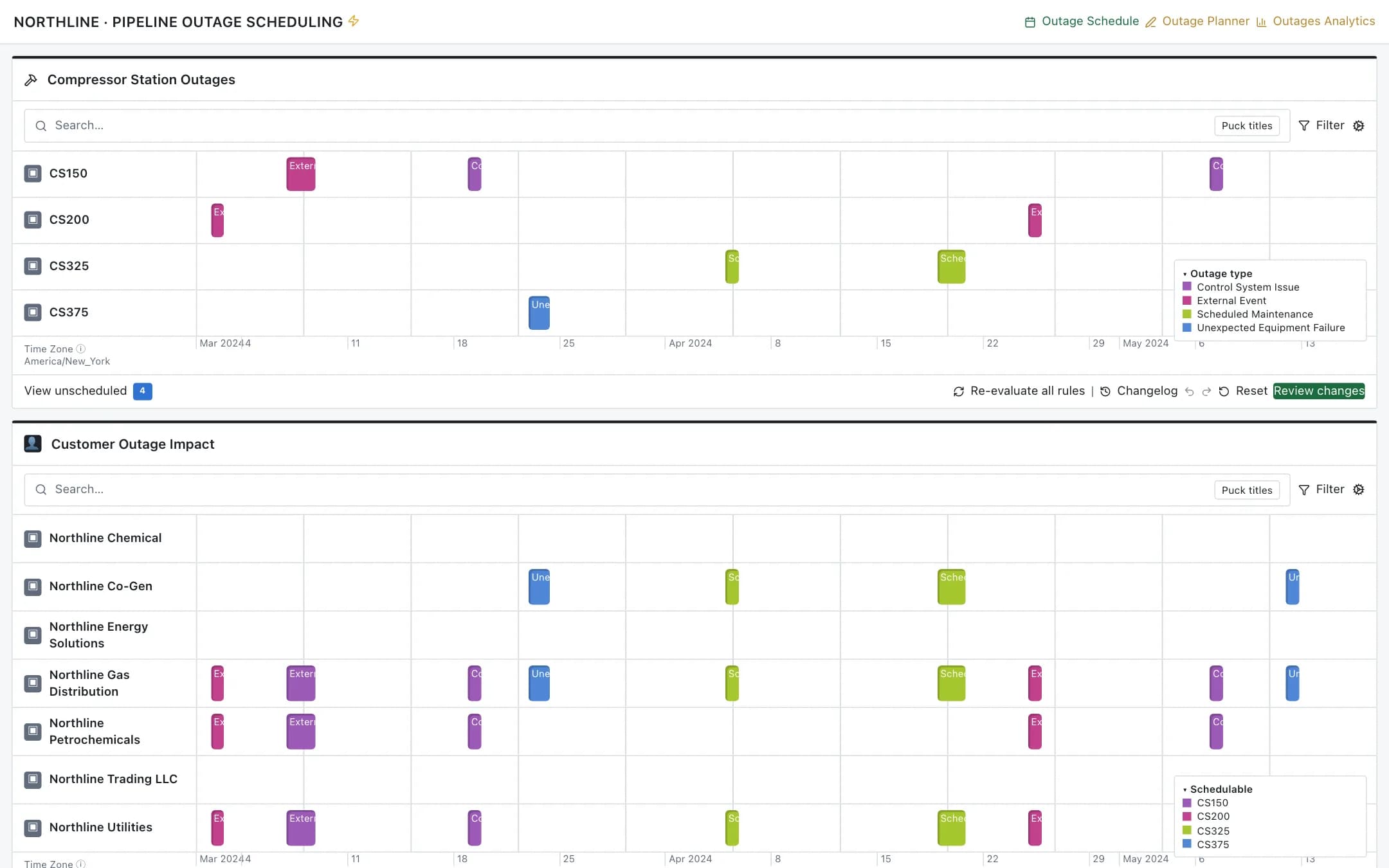
Outage scheduling for compressor stations: the station board with the customer impact beneath it, a planner that recommends outage windows with its reasoning for the operator to accept or reject, the station's maintenance history and impacted contracts, and analytics that score outages on financial impact, compliance, duration, safety and frequency.