Public safety power shutoff
Public safety power shutoff planning: the event days out with customers, miles, devices and circuits affected, fire and weather risk areas on the map with the devices in scope, a gust threshold that re-scopes the plan as a what-if, and an inbox of added, removed and modified de-energisation intervals to approve into the next plan version.
One working session with the people in the seat: which decisions, which systems, what a good week looks like.
The app you see above, running on your own exports instead of the simulated world. Every screen, every decision, your numbers.
Wired to your systems with your permissions, agents proposing, people approving, the ledger recording who did what.
Overview
Before a wind event a utility has to decide which circuits to de-energise, when, and who that affects, from weather models, fuel conditions and an asset map that live in different teams. The plan changes with every forecast and the changes are hard to see.
The app integrates the risk factors and the forecast into one view of the event: the customers, miles, devices and circuits in scope, the risk areas on the map, and a threshold that re-computes the scope as the forecast moves. Each forecast update produces a diff of intervals per device; the inbox shows what was added, removed or modified against the previous plan, and approving writes the new plan version and the customer notices.
Key features
- Risk factor integration: short and long-term meteorological and environmental risk on one map.
- PSPS protocol automation: rule-based thresholds that put devices and circuits in or out of scope.
- Forecast-driven simulations and impact analysis: what-if runs on customers, critical facilities and infrastructure.
- Dynamic updates: added, removed and modified intervals per device reviewed and approved into the next plan version.
Decisions it produces
- Set the gust threshold for de-energisation
- Run a what-if on the scope
- Approve an interval change for a device
- Approve all changes into a new plan version
Data sources
| Weather models | wind, temperature and fuel forecasts |
|---|---|
| GIS | circuits, devices, fire risk areas |
| Customer information | customers and critical facilities per circuit |
| Plan history | plan versions and their intervals |
Simulated data throughout. Book a call to see it on your own systems.
Related demos
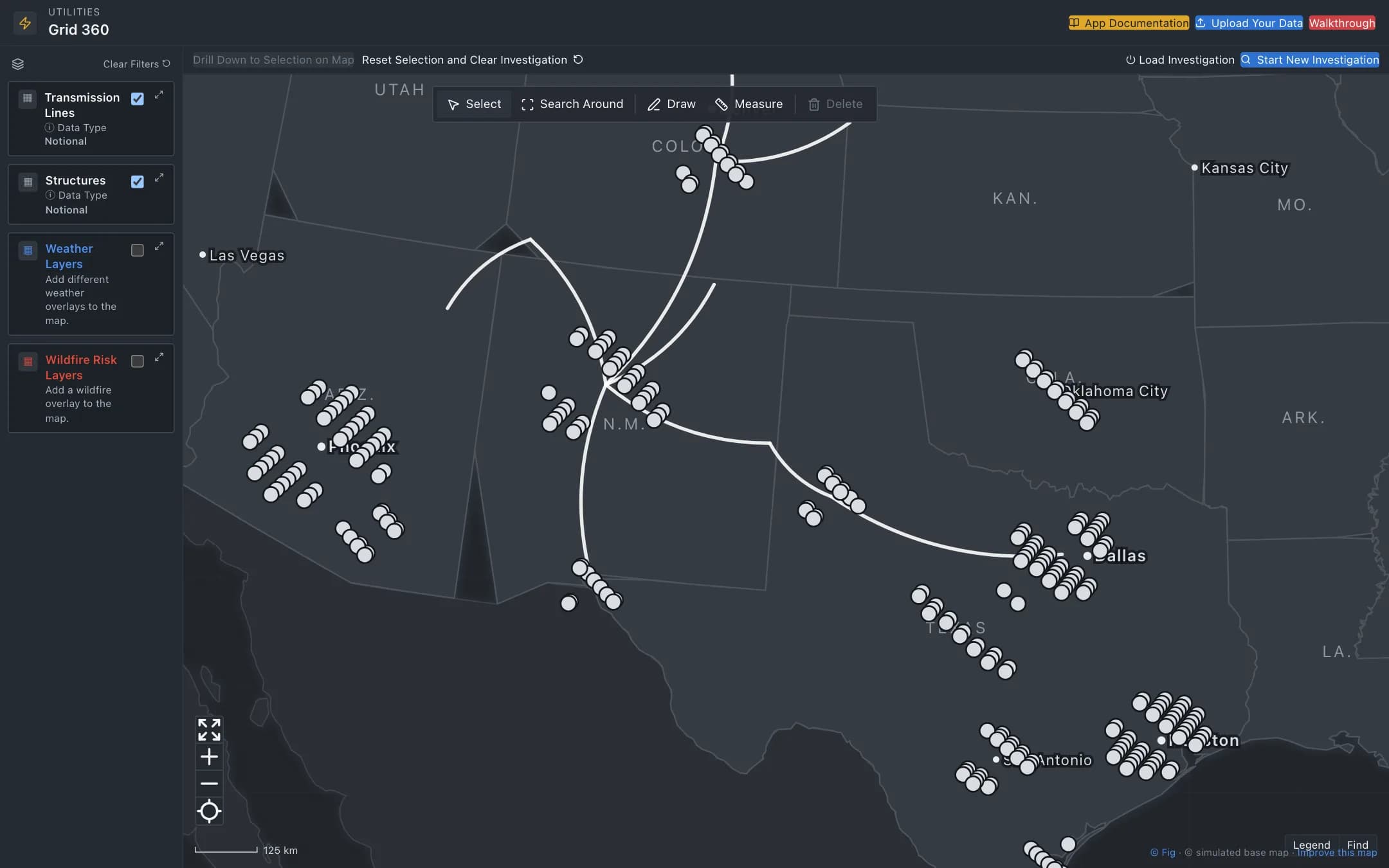
Grid planning and network management
A common operating picture of the grid: transmission lines and structures on a map of the service territory, weather and wildfire risk layers, investigations that select assets by risk parameters, and a structure's detail with its risk factors, maintenance record and a work order bundled with the circuit's patrol.
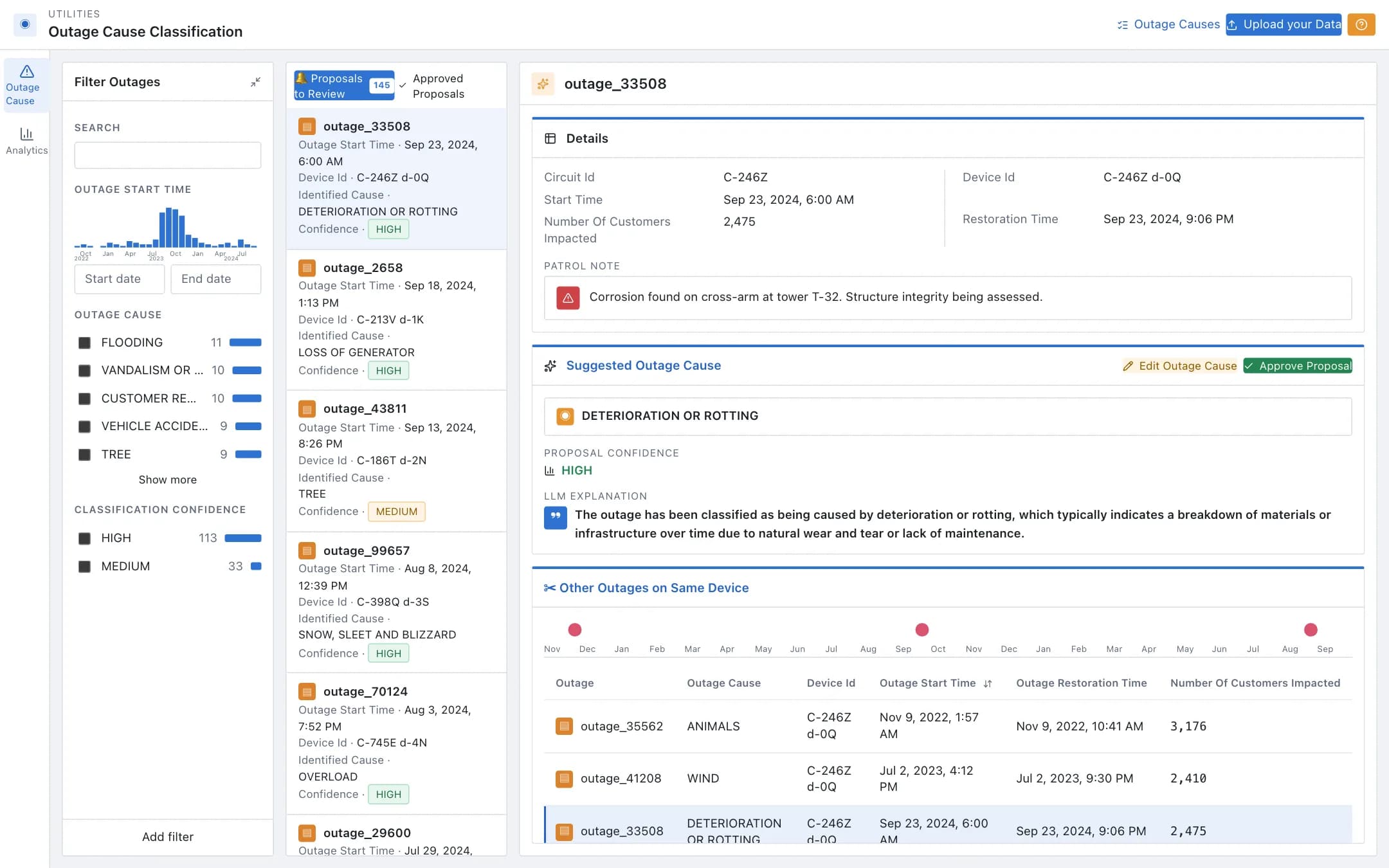
Outage cause classification
Outage causes proposed from patrol notes and the outage management system, reviewed one by one with the confidence, the explanation and the device's outage history, approved or corrected, and analytics over causes, circuits and devices that surface the recurring ones for targeted maintenance.
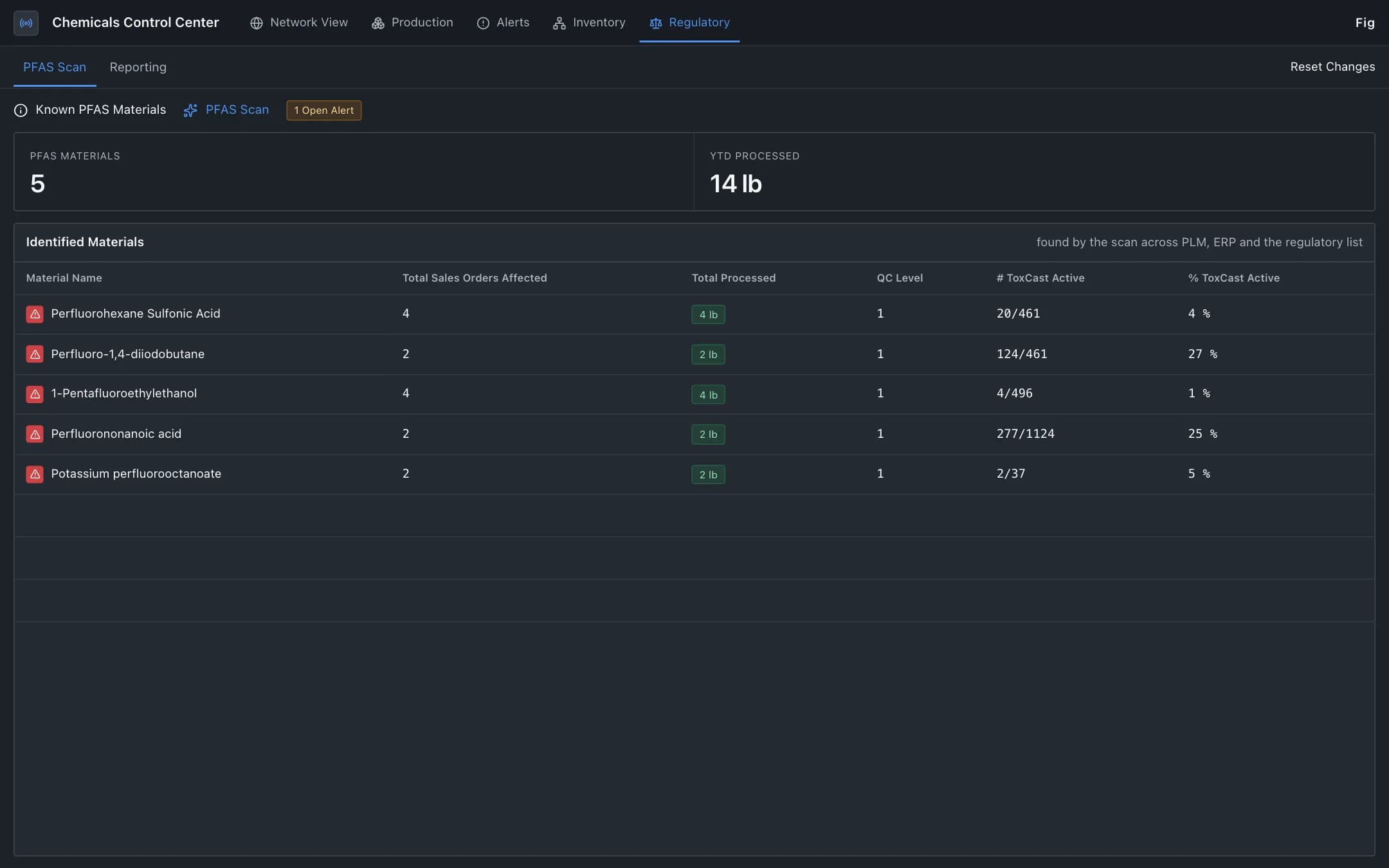
Hazardous material compliance
Regulated materials such as PFAS traced from raw material through the bill of materials, production and sales orders, with each reporting decision validated against the published regulation and compliance status by jurisdiction.