Inventory rebalancing
A control tower over the network's inventory, days of supply and value at risk, with a site-by-site, day-by-day projection and a map, and a rebalance page that lists excess alerts, shows the projected inventory with and without the move, and executes the transfer to the target site.
One working session with the people in the seat: which decisions, which systems, what a good week looks like.
The app you see above, running on your own exports instead of the simulated world. Every screen, every decision, your numbers.
Wired to your systems with your permissions, agents proposing, people approving, the ledger recording who did what.
Overview
A production yield comes in below target, a supplier ships short, and the forecast plan is stale by lunchtime. Planners learn about stock-outs and expiring excess when they happen and re-plan in a spreadsheet.
The app integrates ERP, transport and warehouse data into live inventory visibility, propagates each deviation through the projected inventory and raises alerts for avoidable shortages, excess and orders to cancel. The rebalance page ranks the alerts, recommends the transfer that fixes each one with the projected inventory at both sites before and after, and executing writes the stock transfer to the ERP.
Key features
- State of the network: current inventory, days of supply, locations and materials, consolidated from the ontology.
- Inventory value at risk: avoidable shortages, excess material and purchase orders to cancel, each with a value.
- Network deepdive: projected inventory per site and item per day, excess and stock-out overviews, days of supply and a map.
- Rebalance decision interface: excess alerts, target locations, projected inventory with and without the move, resolve and execute.
Decisions it produces
- Execute a stock transfer to a target site
- Cancel or delay an excess purchase order
- Prioritise a stock-out for relief
- Accept the projected plan after a deviation
Data sources
| ERP | inventory, purchase orders, stock transfer orders |
|---|---|
| TMS | transport capacity and lanes |
| WMS | site capacity and receipts |
| Production and supplier signals | yield, short shipments, expiry dates |
Simulated data throughout. Book a call to see it on your own systems.
Related demos
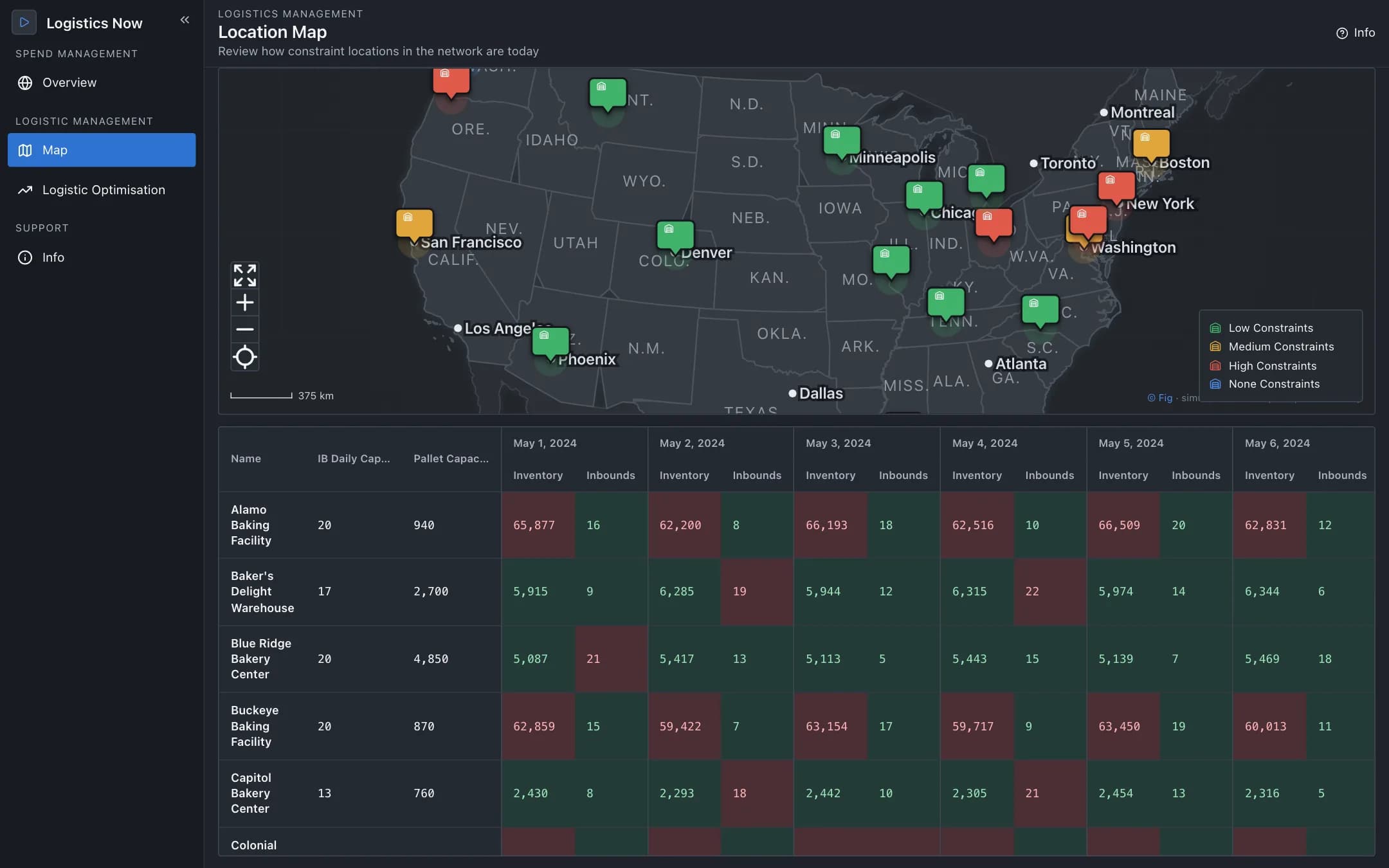
Supply chain logistics
A control tower for the distribution network: sites on a map coloured by constraint with day-by-day inventory and inbound capacity, a linear optimiser's stock-transfer recommendations to accept with ERP write-back or reject with a reason, and a spend and acceptance tracker.
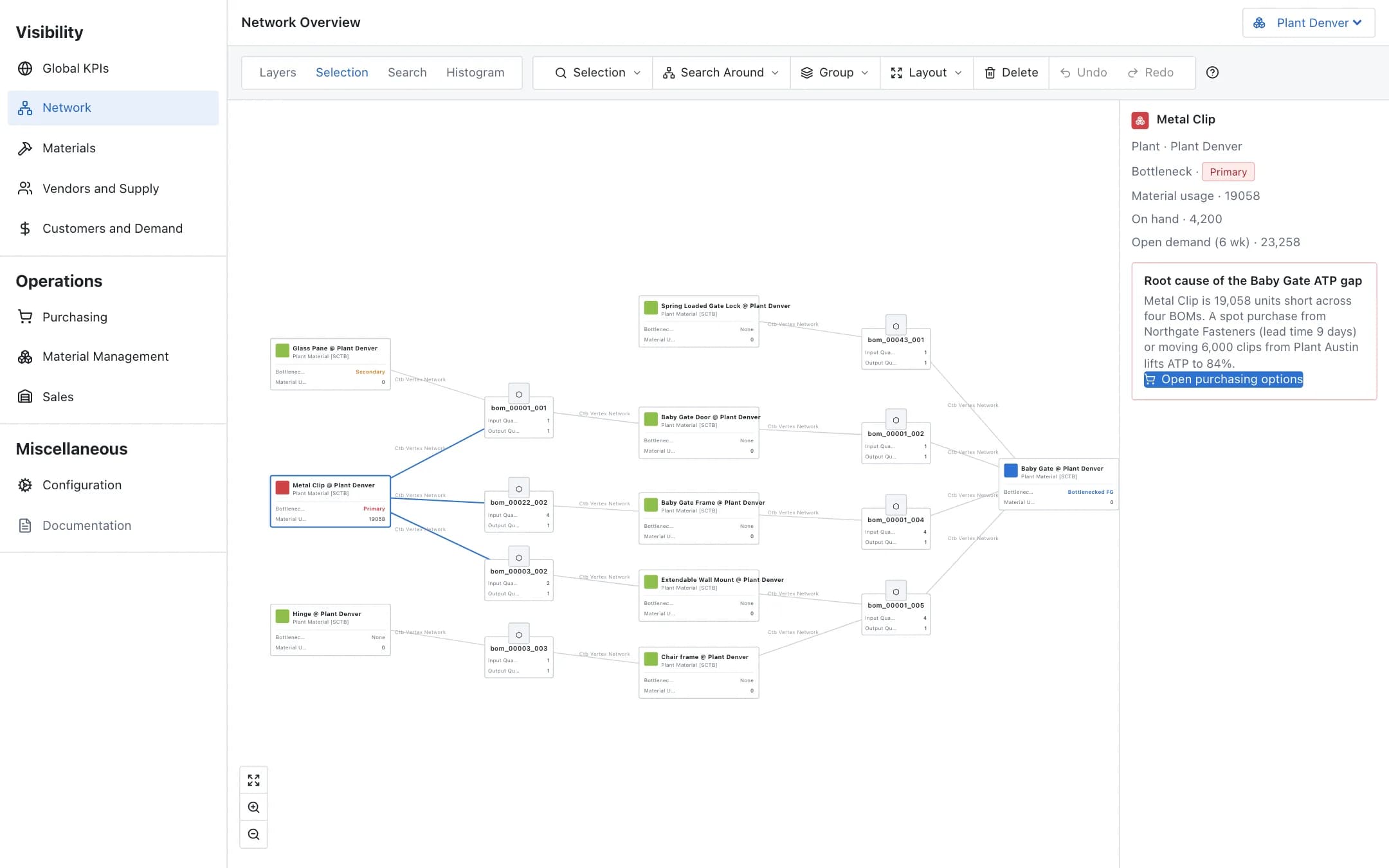
Available-to-promise
Real-time available-to-promise across the plant network, the bill-of-material graph that shows which component is the bottleneck, and simulated mitigations in purchasing, material management and sales that are committed with write-back.
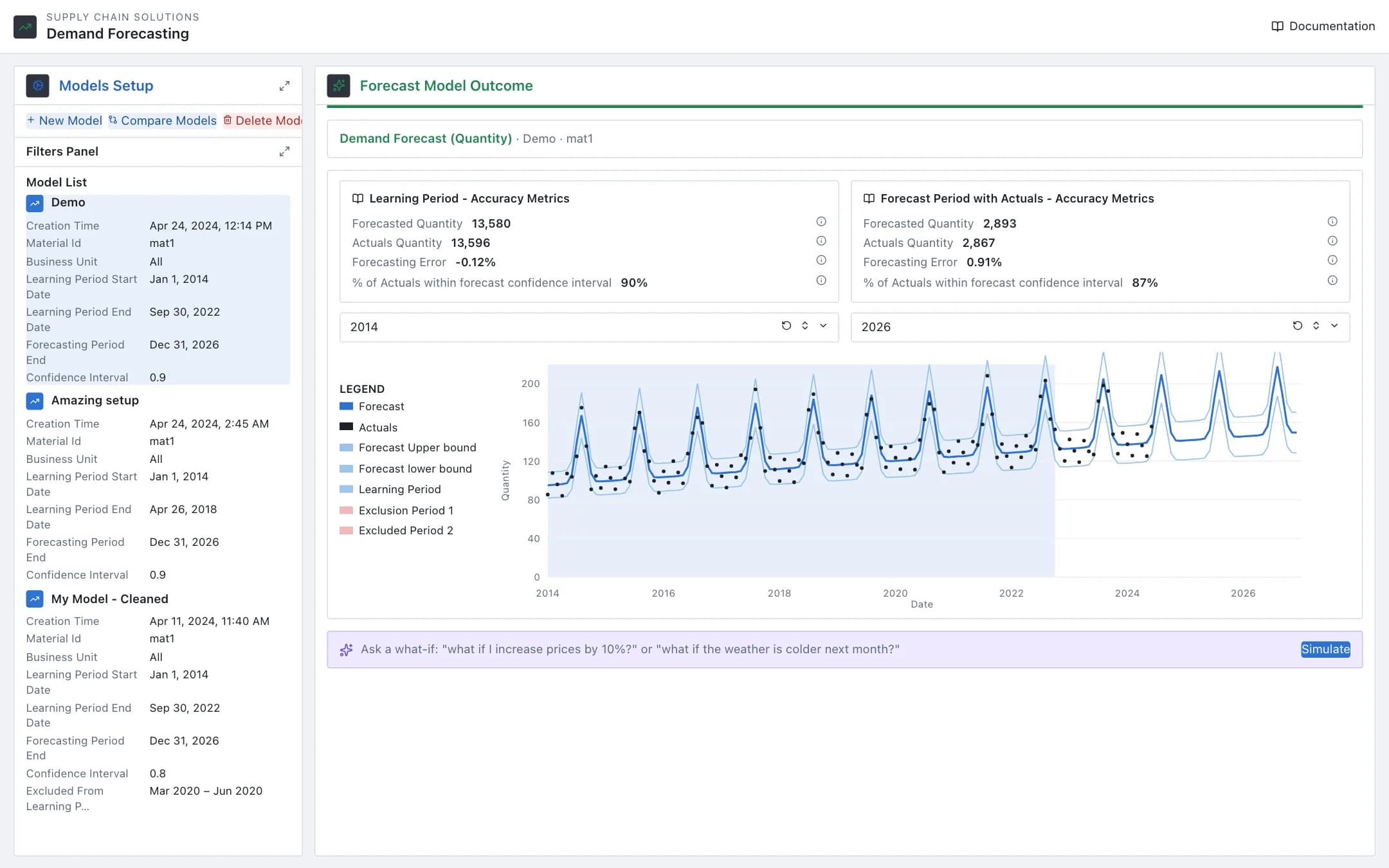
Demand forecasting
Forecast models per material and business unit with a learning period, exclusions and price assumptions; the outcome shows the seasonal forecast against actuals with accuracy metrics, models compare side by side, and a plain-language what-if re-runs the forecast.