P&ID analysis
Components and their tags extracted from scanned P&ID drawings by a vision model, matched to the bill of materials, validated and relabeled by a maintenance engineer, and published as an ontology of the plant.
One working session with the people in the seat: which decisions, which systems, what a good week looks like.
The app you see above, running on your own exports instead of the simulated world. Every screen, every decision, your numbers.
Wired to your systems with your permissions, agents proposing, people approving, the ledger recording who did what.
Overview
Utilities and plants hold thousands of P&IDs as scanned PDFs. The bill of materials lives in the maintenance system, and nobody can say which drawing shows which asset without opening both. Extracting one drawing by hand takes a day; a plant has hundreds.
The app runs a vision model over each drawing, boxes every component with its tag, and matches it to the BOM as exact, partial or no match. The engineer validates in Component View, opens any tag in Editing View to see the extracted fields and the reasoning, and relabels what the model got wrong; every relabel trains the next run. Ontology View shows the drawing, tags and components as linked objects.
Key features
- AI entity extraction: computer-vision and vision-language models read components and metadata from P&ID images.
- Bill of materials harmonization: each extracted component linked to its BOM line as an exact, partial or no match.
- Labelling and feedback loop: engineers relabel components and recognition improves on their own drawings.
- Ontology view: drawing, image tags and components as objects and links, ready for analytics on component properties.
Decisions it produces
- Accept, reject or relabel an extracted component
- Confirm a BOM match or mark a component as missing from the BOM
- Publish the validated components to the plant ontology
- Upload the next drawing
Data sources
| P&ID drawings | scanned PDFs and images; the vision model reads symbols and tags |
|---|---|
| Bill of materials | component lines with type, manufacturer, install and maintenance dates |
| Asset register / CMMS | asset ids, maintenance history, recommended frequency |
| Engineer feedback | relabels and confirmations that retrain extraction |
Simulated data throughout. Book a call to see it on your own systems.
Related demos
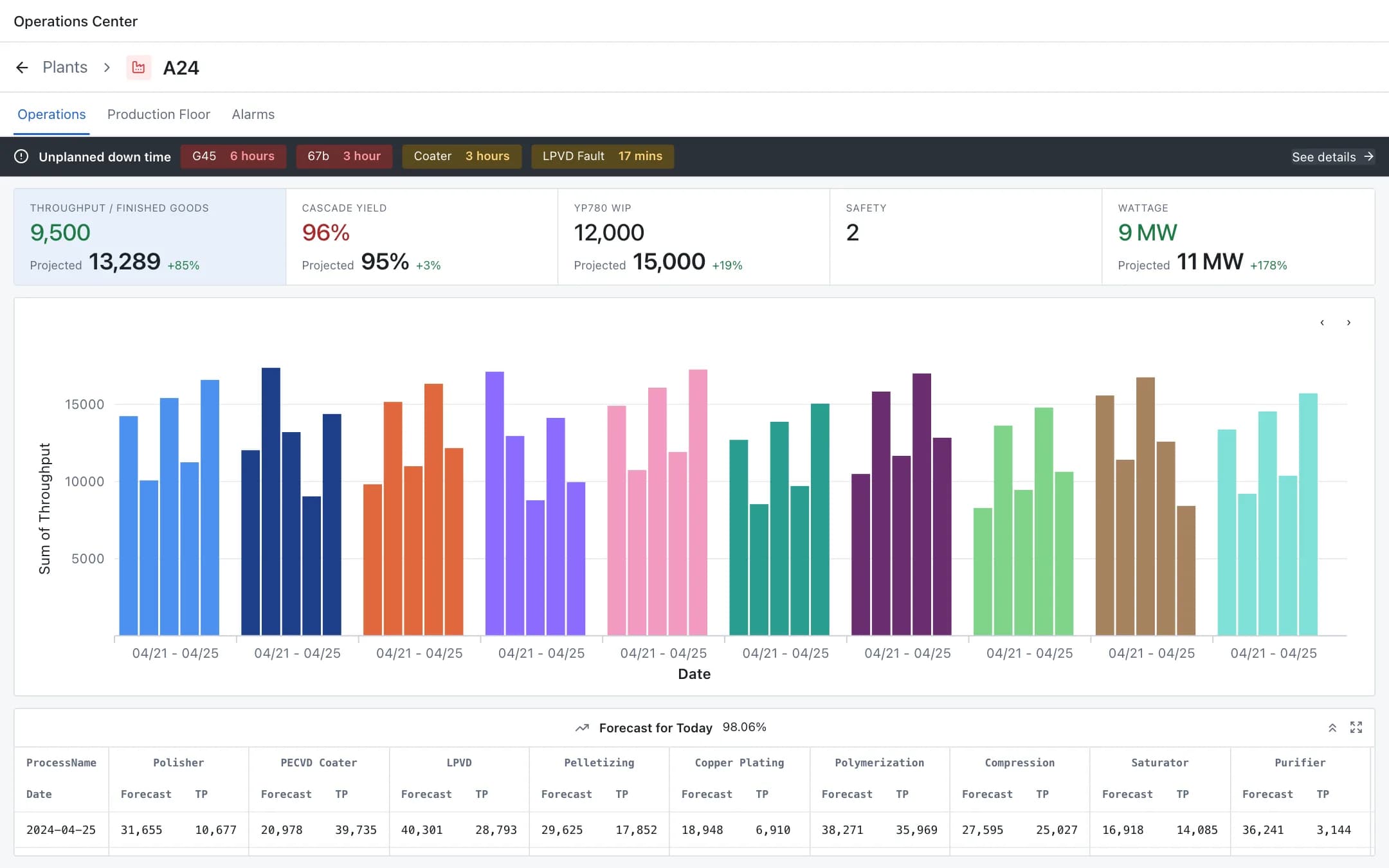
Plant digital twin
A live digital twin of the plant: operations KPIs and throughput by process, the production floor from building to zone to a single pump with its sensors, images and manual, and incident management with approve, reject and take action.
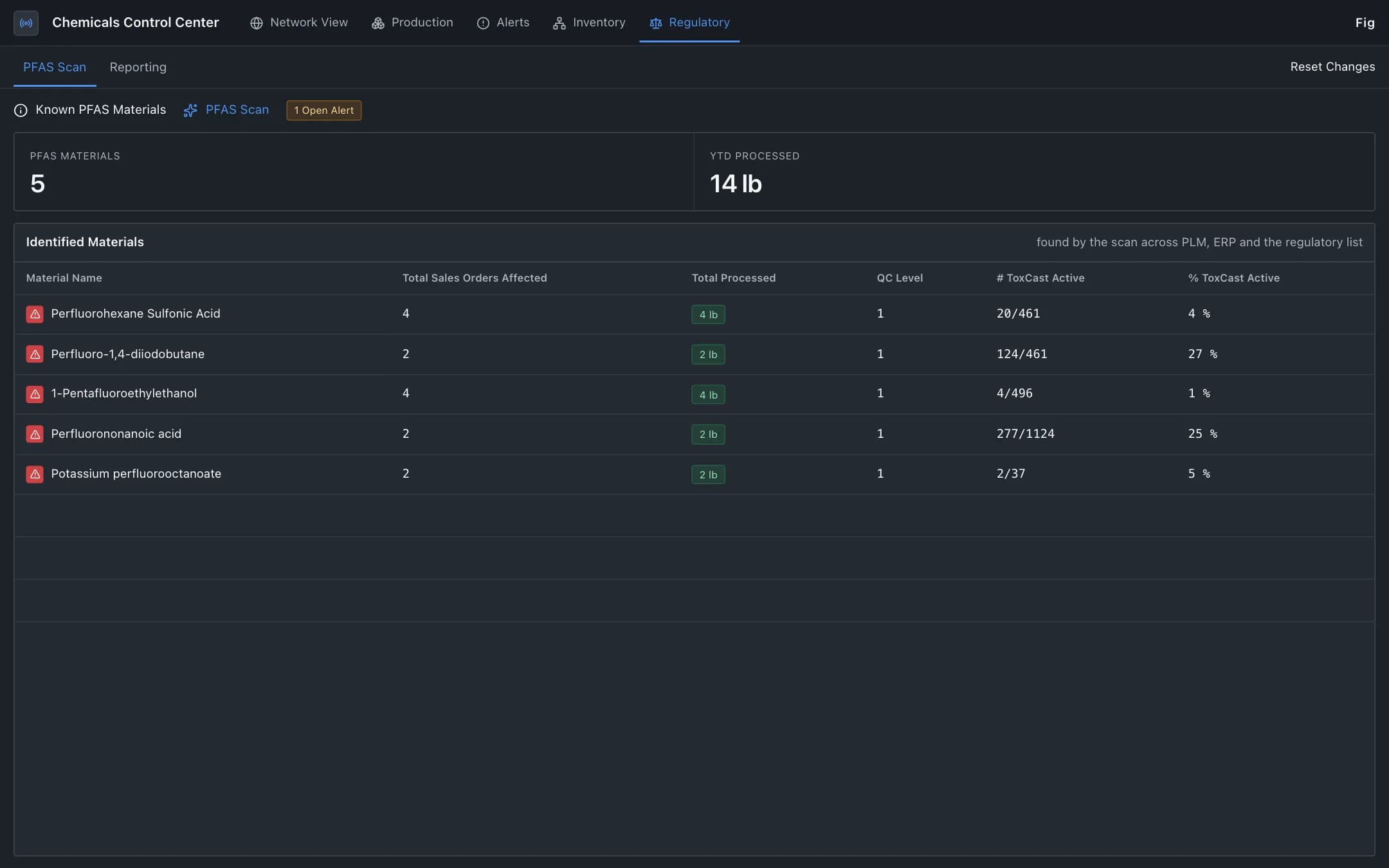
Hazardous material compliance
Regulated materials such as PFAS traced from raw material through the bill of materials, production and sales orders, with each reporting decision validated against the published regulation and compliance status by jurisdiction.
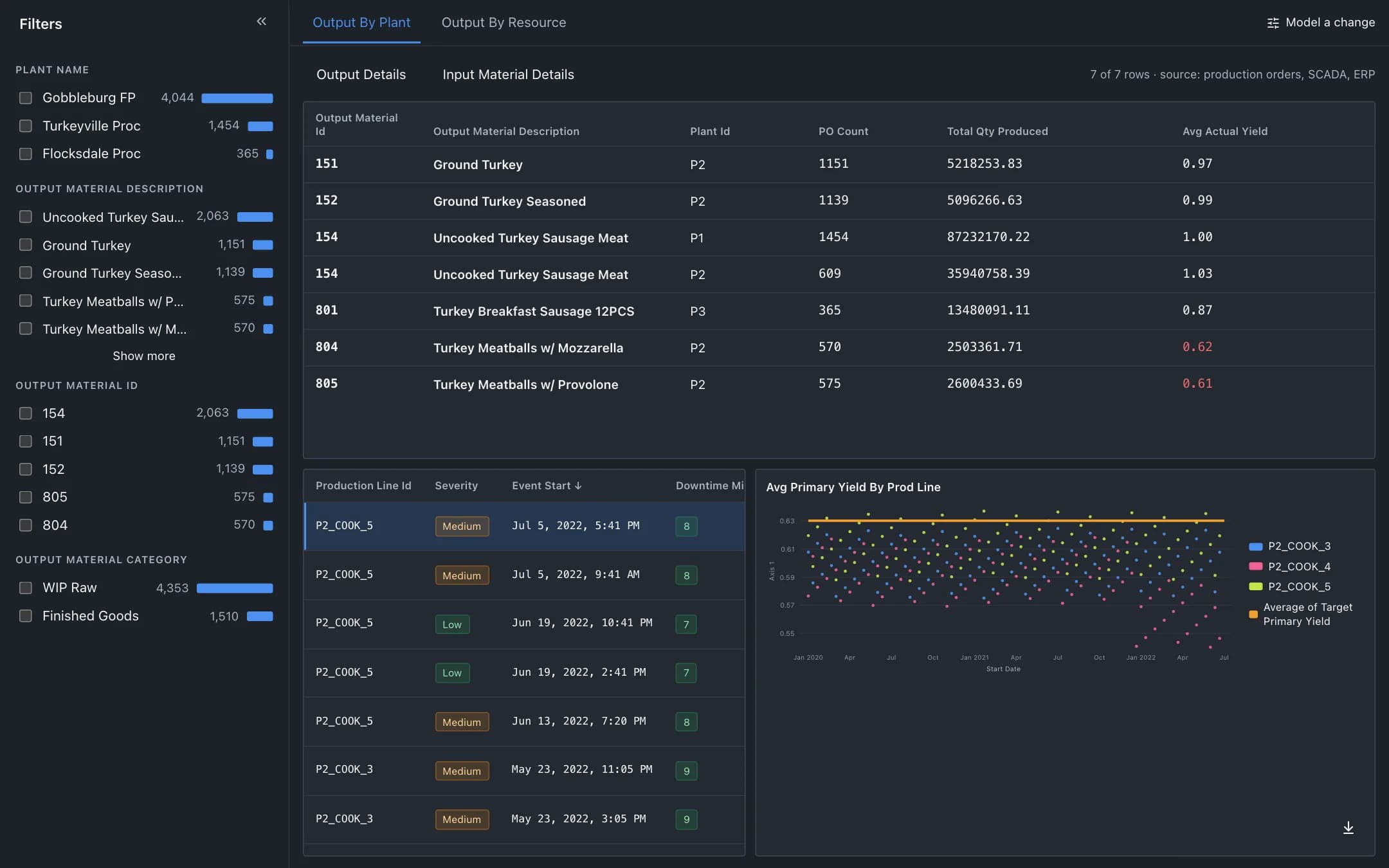
Yield optimization and batch analysis
Yield and cost at the granularity of a batch: output by plant or line against target, the downtime events behind a dip, and a scenario panel that models a setpoint change and orchestrates it to the line inside HACCP limits.