Production scheduling and management
Production scheduling and management for a plant network: the scheduler with lines and material runs over the month, KPIs for yield, uptime, energy and on-time orders, customer service requests turned into production proposals by an agent whose chain of thought is shown, and the customer standard operating procedure the proposals are checked against.
One working session with the people in the seat: which decisions, which systems, what a good week looks like.
The app you see above, running on your own exports instead of the simulated world. Every screen, every decision, your numbers.
Wired to your systems with your permissions, agents proposing, people approving, the ledger recording who did what.
Overview
Order changes arrive as emails and the scheduler rebuilds the plan by hand, weighing delivery promises against energy, cost of goods and emissions with whatever is in their head. Standard operating procedures live in documents nobody has time to consult.
The control center keeps the schedule live across lines and plants from ERP, MES and PLM data. A customer request becomes a proposal from the agent, which reads the SOP and the constraints, shows its reasoning and states the effect on OTIF, COGS, energy and emissions. The operator applies, adjusts or rejects it, and the feedback trains the next proposal.
Key features
- Enhanced production scheduling: a real-time view of timelines and constraints coupled with unstructured customer requests.
- Harnessing tribal knowledge: standard operating procedures, equipment guides and operator interactions folded into recommendations.
- Agent feedback loop: order priorities, constraints and procedures captured from operators with governance to keep them right.
- KPIs for yield, uptime, OTIF, COGS, energy and emissions on the same screen as the schedule.
Decisions it produces
- Accept or adjust the agent's production proposal
- Re-sequence a line
- Respond to a customer service request
- Correct the agent's understanding of a constraint
Data sources
| ERP | orders, due dates, materials |
|---|---|
| MES | line status, yield, energy |
| PLM | recipes and changeovers |
| SOPs | customer and plant procedures |
Simulated data throughout. Book a call to see it on your own systems.
Related demos
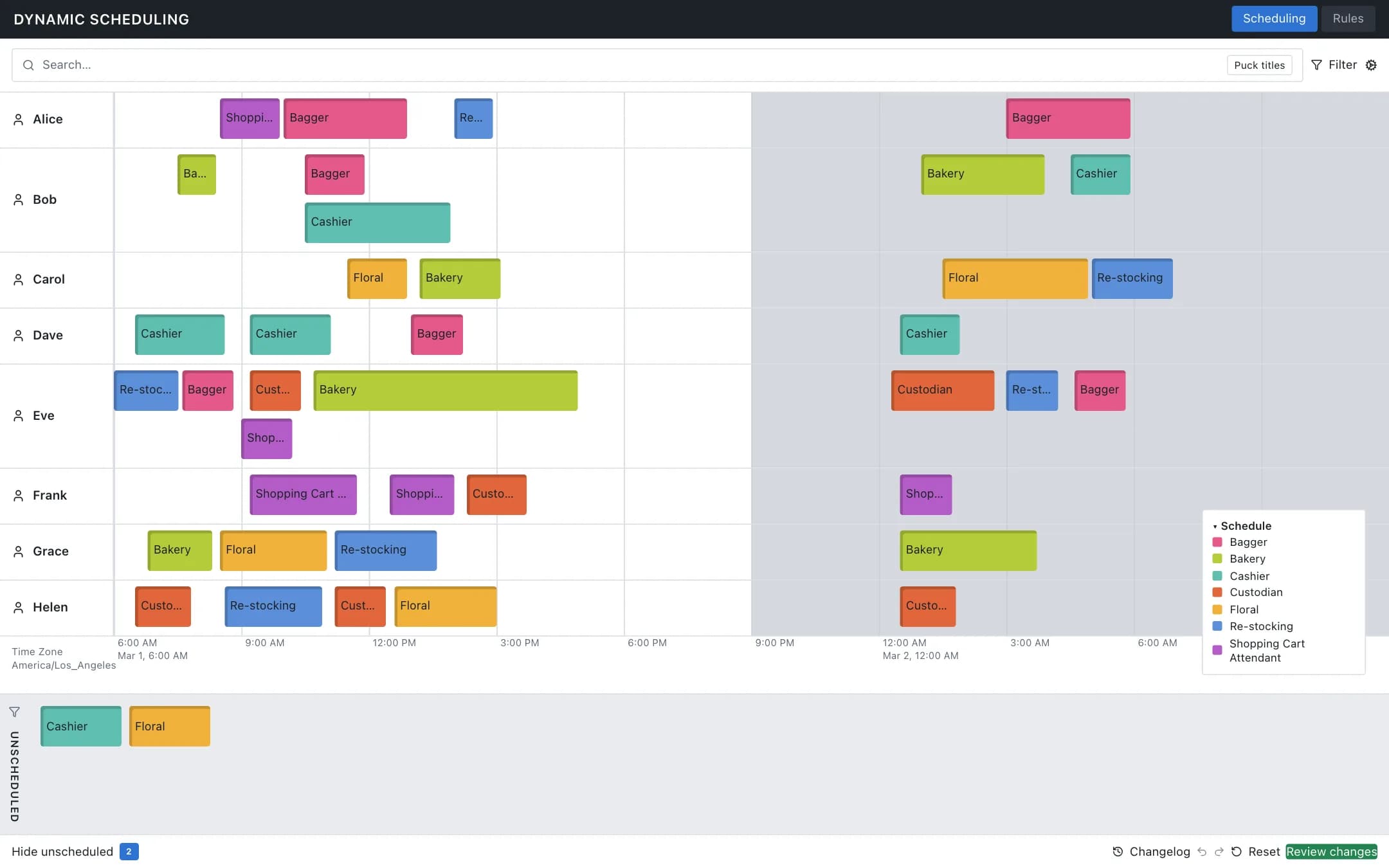
Dynamic scheduling
A shift board of employees and task pucks over the day with an unscheduled tray, undo, redo, reset and a review step, and a rules tab where deadline, duration, gap, overlap and sequence constraints are enabled, disabled, debugged or written in plain language and translated into constraints the board enforces.
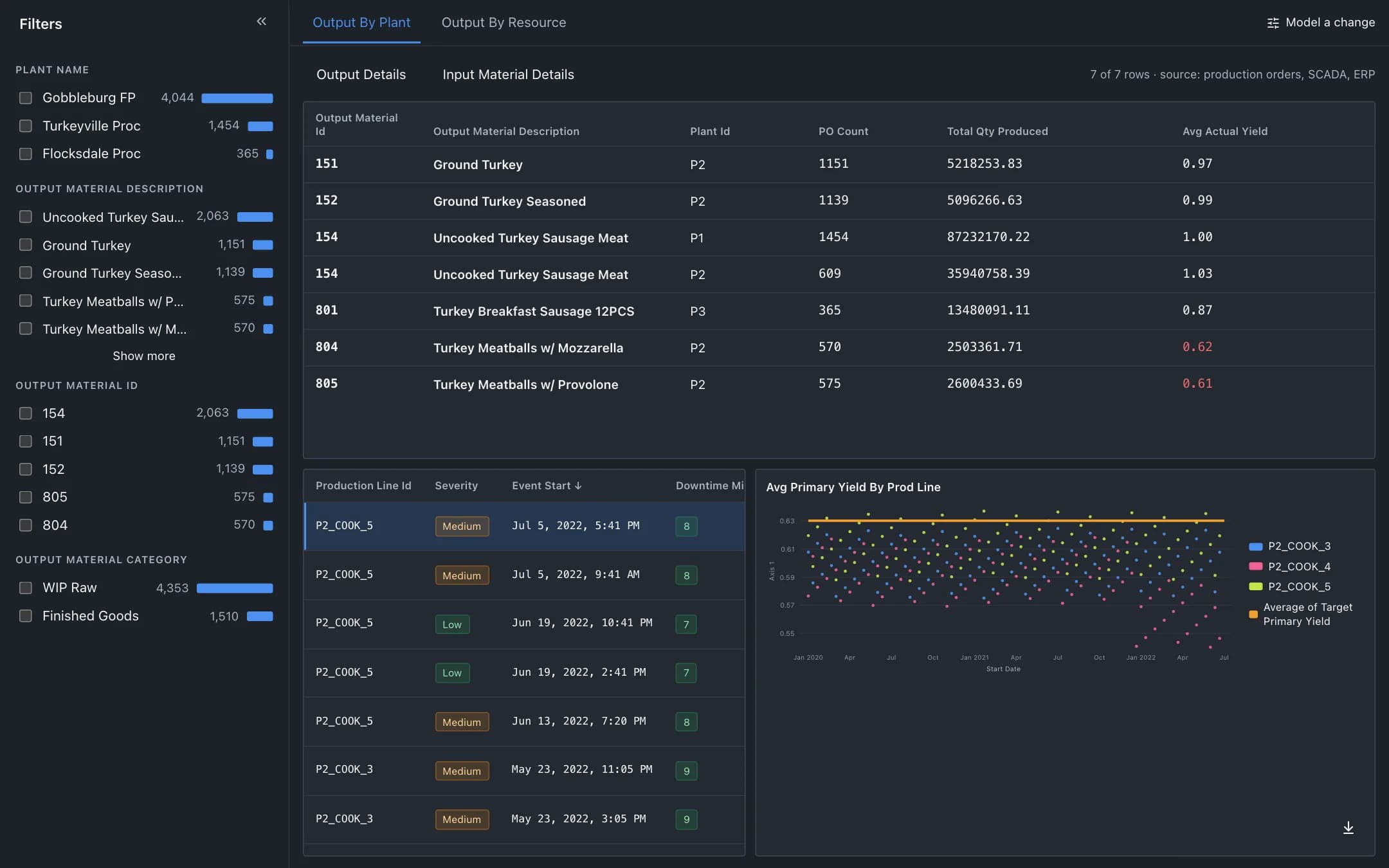
Yield optimization and batch analysis
Yield and cost at the granularity of a batch: output by plant or line against target, the downtime events behind a dip, and a scenario panel that models a setpoint change and orchestrates it to the line inside HACCP limits.
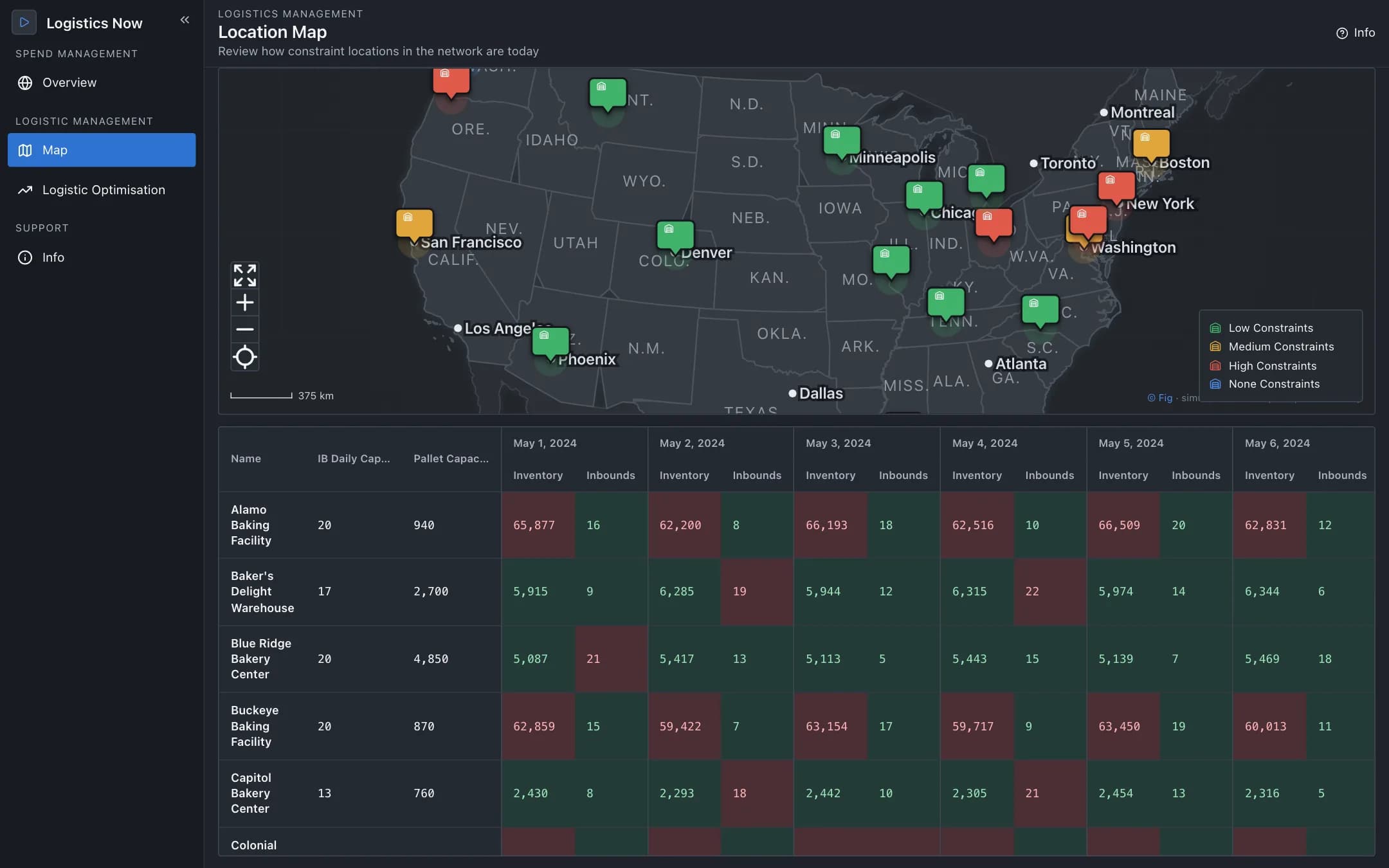
Supply chain logistics
A control tower for the distribution network: sites on a map coloured by constraint with day-by-day inventory and inbound capacity, a linear optimiser's stock-transfer recommendations to accept with ERP write-back or reject with a reason, and a spend and acceptance tracker.