Maintenance line
The maintenance line for the resident at 11 pm: a voice agent on the manager's rules takes the call, sees what the resident shows on camera and keeps the moments it names, and as the call ends writes the order: the summary, the caller matched to their home, the triage, the dispatched order on the field desk and the text to the resident, step by step.
One working session with the people in the seat: which decisions, which systems, what a good week looks like.
The app you see above, running on your own exports instead of the simulated world. Every screen, every decision, your numbers.
Wired to your systems with your permissions, agents proposing, people approving, the ledger recording who did what.
Overview
After hours the maintenance number goes to voicemail. The resident describes the problem twice, once to the machine and again to the office in the morning, and the order opens a day late with half the detail.
The line answers any hour. It asks what and where, looks when the resident shows the water heater or the faucet, decides urgency under the manager's rules and confirms access and timing. When the call ends the transcript and the kept moments become a clean summary; the resident is matched to their home; the order is opened, dispatched and confirmed by text. Gas, smoke, fire or flooding pages a person at once.
Key features
- A voice agent on the manager's own rules, with sample calls for the common problems.
- Camera and screen sharing: the line sees what the resident shows and keeps the moments it names with the order.
- The wrap: summary, resident, home, category, response window, assigned tech and the text sent.
- What happened after the call, step by step, with the system each step wrote to.
Decisions it produces
- Play a sample call or call the line
- Keep a moment from the camera
- Open the order on the field desk
- Page a person on gas, smoke, fire or flooding
Data sources
| Voice platform | transcript and kept frames |
|---|---|
| Property system | residents and homes |
| Maintenance system | work orders and techs |
| Rules | triage, response windows, escalation |
Simulated data throughout. Book a call to see it on your own systems.
Related demos
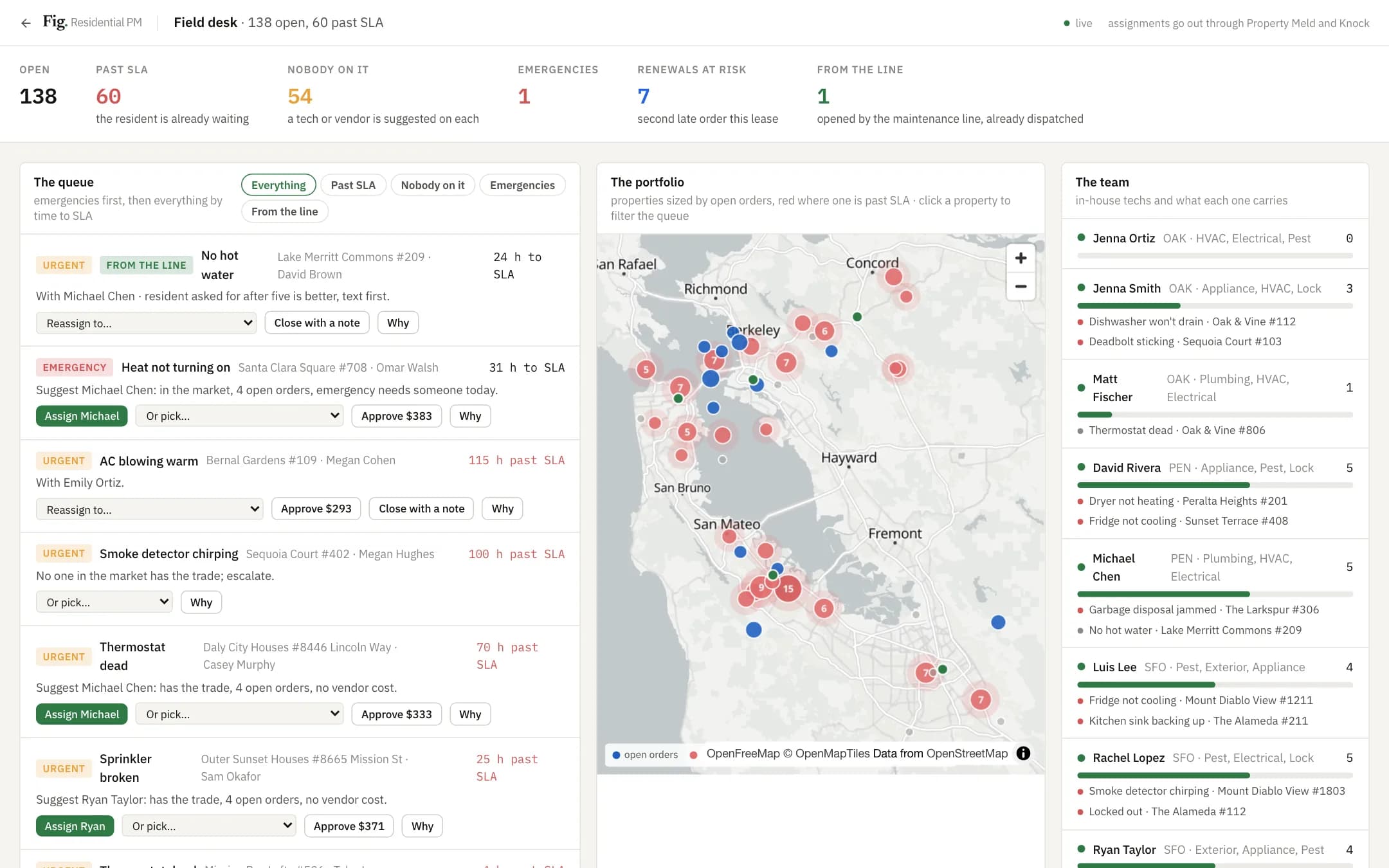
Field desk
A field desk for the maintenance coordinator: the work-order queue by time to SLA with the suggested tech or vendor and why, the portfolio on a map sized by open orders and red where one is past SLA, the in-house team and what each carries; assign, approve an estimate, reassign and close write to the maintenance system and tell the resident.
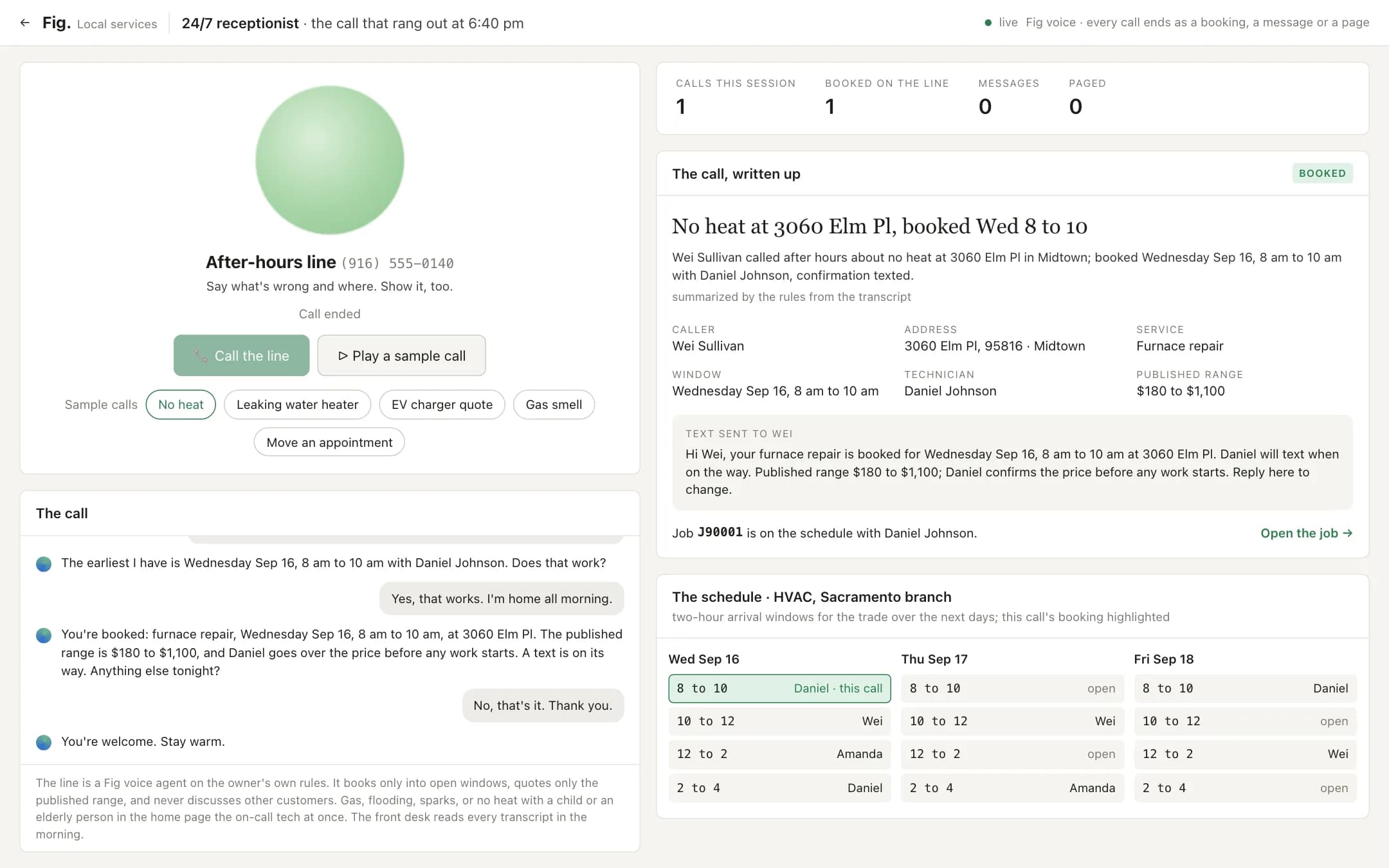
24/7 receptionist
A 24/7 receptionist for a local-services company: the after-hours call answered by a voice agent on the owner's rules, booked into a real open two-hour window as it talks, with the wrap card, the text sent and the schedule strip showing the new job; an estimate becomes a message with a callback window, a gas smell pages the on-call tech during the call.
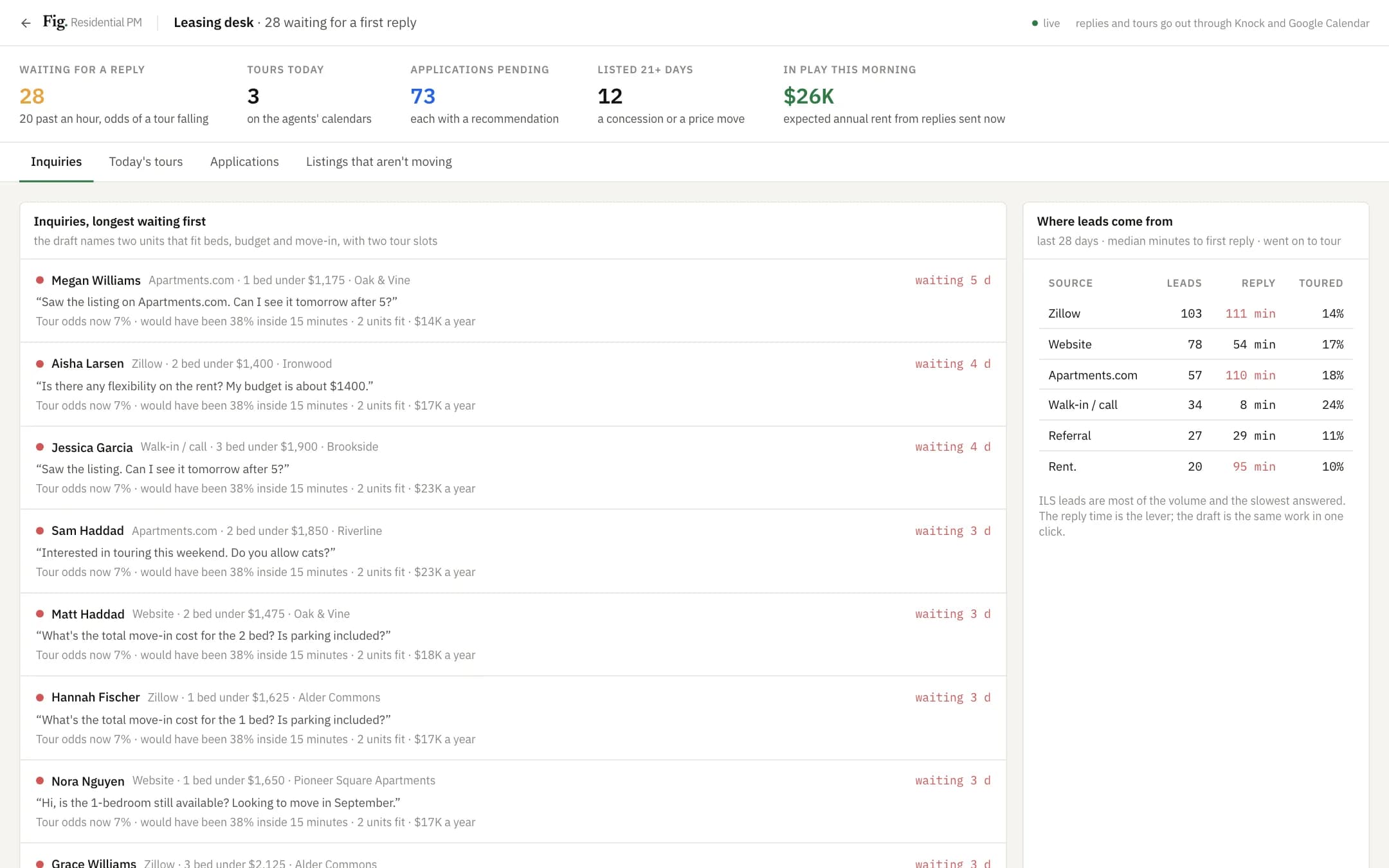
Leasing desk
A leasing desk for the leasing manager: inquiries waiting for a first reply with the draft already written from the listing and the agent's calendar, today's tours, applications as a review deck with a recommendation on income, screening and documents, and listings that aren't moving with a concession on each; every action writes to the CRM and the calendar.